
Linux+ XK0-006: The Current Exam and a Six-Week Study Plan
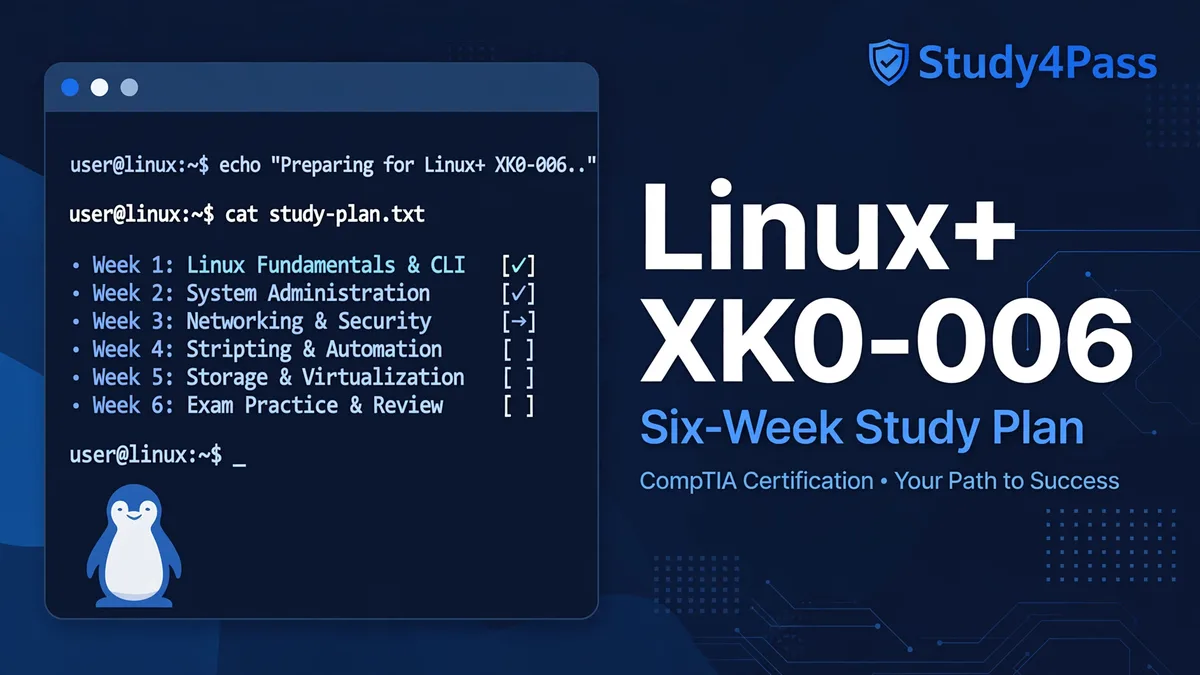
Linux+ XK0-006: The Current Exam and a Six-Week Study Plan
If you are studying for Linux+ right now, make sure you are studying for the right exam. CompTIA launched Linux+ XK0-006 on 15 July 2025, and XK0-005 — the version most guides, videos and second-hand books still describe — was retired in January 2026. Anyone preparing from XK0-005 material alone is preparing for an exam that no longer exists, and the new version is not a light refresh: it has five domains instead of four, a whole new domain for automation, and performance-based questions that punish memorised answers. This post is the switch guide and the study plan in one: what XK0-006 actually tests, how it differs from XK0-005, and a six-week plan that takes a working Linux user from first read of the objectives to exam day in roughly 60 to 70 hours.
The Exam You Are Actually Taking
Linux+ XK0-006 is CompTIA's intermediate, vendor-neutral Linux certification — the one that says you can run Linux servers in production, not just install a desktop distribution and find your way around the shell. It is a single exam, and the facts that govern your plan are all published by CompTIA: a maximum of 90 questions, a mix of multiple-choice and performance-based items, 90 minutes on the clock, and a passing score of 720 on a scale of 100 to 900. The voucher costs $399 at CompTIA's US store after the price increase applied across its lineup in June 2026, so confirm the price at booking — prices vary by region and CompTIA changes them. You book and sit it through Pearson VUE, at a test centre or from home with OnVUE online proctoring, and it is offered in English, Japanese, Portuguese and Spanish.
The quick facts, in one place
There are no formal prerequisites — no earlier certification and no degree is required to book. CompTIA recommends about 12 months of hands-on experience working with Linux servers, with A+, Network+ or Server+ level knowledge as the foundation, and that recommendation is worth taking seriously: the exam assumes you have actually administered systems, not just read about them. The certification is valid for three years and renews through CompTIA's Continuing Education programme. CompTIA publishes no pass rate for XK0-006, so any percentage you see attached to it online is a prep vendor's estimate, not data — do not plan around one.
What changed from XK0-005
XK0-005 had four domains. XK0-006 has five, because automation grew out of the old scripting objective into a domain of its own. The new domain is Automation, Orchestration, and Scripting at 17%, and it covers Ansible, Puppet, OpenTofu, Kubernetes, Python and Git, plus an objective on responsible AI use — the clearest sign of what changed between versions. The tools list also went deliberately distribution-neutral: the objectives name NetworkManager and Netplan side by side, firewalld and ufw side by side, Docker and Podman side by side. If your study material only teaches one of each pair, it is XK0-005 material. And the performance-based questions carry more weight in practice than their count suggests: they sit mostly at the start of the exam, they are timed like everything else, and they test whether you can do the task, not whether you recognise the right description of it.
The Five Domains, in Weight Order
CompTIA publishes the weights, so study time should follow them — not your comfort. The order below is the exam's order, heaviest first.
1.0 System Management — 23%
The heaviest domain, and the one that rewards real lab time most. It covers the boot process, filesystems and storage including LVM, networking configuration, software packages, processes, and system configuration, plus backups and virtualization. This is the domain where candidates who only read fail: you need to have partitioned a disk, grown a logical volume, fixed a broken boot, and configured networking on a live system, because the questions describe broken systems and ask what you would do next.
What to practise here
Build a virtual machine and break it on purpose. Delete the boot loader configuration and recover it. Fill a filesystem and extend the volume. Configure networking with NetworkManager on one machine and Netplan on another, so both tools are muscle memory rather than theory. If a task takes you more than a few minutes in the lab, it will cost you more than a few minutes in the exam.
2.0 Troubleshooting — 22%
The second-heaviest domain, and the one most candidates under-prepare for because it cannot be studied from flashcards. It covers boot, storage, network, security and performance faults, and the questions are scenarios: a service will not start, a disk is full but df and du disagree, a user cannot reach a host that responds to ping. The exam rewards a method — check the obvious, read the logs, isolate the layer — over any single fact.
What to practise here
Keep an error log from your first lab session onwards, and for every fault you fix, write down the symptom, the command that showed it, and the fix. That log becomes your revision material in week 6, and it is worth more than re-reading the objectives, because troubleshooting is a habit and habits are built from your own mistakes, not from someone else's list of them.
3.0 Services and User Management — 20%
Accounts, processes, packages, systemd and containers. This is the day-to-day administration domain: creating and managing users and groups, controlling services, managing software across distributions, and running containerised workloads. The container objective is new in emphasis — Docker and Podman both appear — and systemd is assumed knowledge throughout, not a topic you can skim: units, targets, timers, journald and service dependencies all recur.
What to practise here
Run a real service under systemd, then break its unit file and read the journal to find out why it failed. Manage the same package task with apt, dnf and zypper so the distribution differences stop slowing you down. Start the same container image with Docker and with Podman and note what differs — rootless operation, for one — because the exam likes exactly that kind of comparison.
4.0 Security — 18%
Authentication, firewalls, SELinux, hardening and encryption. The domain is smaller than the top three but dense, and it overlaps with troubleshooting more than the weights suggest: a security control misconfigured is a service that will not start, and several troubleshooting scenarios are SELinux or firewall problems in disguise. Know firewalld and ufw both, know SELinux modes and contexts well enough to diagnose a denial rather than just disable enforcement, and know what each hardening step actually protects — the exam tests judgement about controls, not a list of them.
What to practise here
Turn SELinux to enforcing and keep it there for the whole six weeks. Every denial you meet is a lesson the exam will test; every time you are tempted to set it permissive and move on, you are skipping a question. Do the same with the firewall: run with it on, open only what your services need, and confirm from another machine that the port is actually reachable.
5.0 Automation, Orchestration, and Scripting — 17%
The lightest domain by weight and the newest, which is exactly why it decides passes and fails: it is the domain XK0-005 candidates have never studied. Ansible, Puppet, OpenTofu, Kubernetes, Python and Git, plus the responsible-AI objective. You do not need to be a developer — the exam tests using these tools to administer systems, not writing software — but you do need to have written a playbook, run a script that parses real output, and committed work with Git. Reading about Ansible without running it is the same mistake as reading about LVM without resizing a volume.
What to practise here
Write one Ansible playbook that configures a fresh VM end to end — users, packages, a service, a firewall rule — and run it against a second VM until it works idempotently. Write small Bash and Python scripts that do real administration: parse a log, report disk usage by user, check service states across hosts. Commit both to a Git repository, because version control of your own work is part of what this domain is testing.
The Six-Week Plan
Six weeks at eight to twelve hours a week — roughly 60 to 70 hours — is enough for someone who already uses Linux weekly. If you are starting from occasional desktop use, add two weeks at the front for daily shell practice; if you administer Linux servers at work already, four weeks of focused domain work may be enough. Either way, follow the weights: the plan below spends the most time where the exam spends the most marks.
Week 1 — System Management foundations and the lab
Read the official exam objectives first, all the way through, and mark every objective you cannot already do. Then build the lab: two virtual machines on different distributions, one using NetworkManager and one using Netplan. Spend the week on boot, storage and LVM, networking, and package management, doing every task by hand. End the week by taking the free 10-question demo and reading every explanation, right or wrong — it shows you the question style early, while there is still time to adjust.
Week 2 — Services, users and containers
Systemd in depth: units, targets, timers, dependencies, journald. User and group management, permissions including ACLs and special bits, and software management across distributions. Then containers: run workloads under Docker and Podman, manage images and volumes, and compare the two. By the end of this week your lab machines should be running real services you configured yourself, not defaults.
Week 3 — Security
Authentication and PAM, firewalld and ufw, SELinux contexts and troubleshooting, hardening, encryption and certificates. Keep SELinux enforcing and the firewall on, as above, and treat every denial or blocked port as study material. This is also the week to start a second pass over week 1: re-do the storage and boot labs from memory and note what you have forgotten — forgetting is the signal for what needs spaced repetition.
Week 4 — Automation and scripting
Ansible playbooks, a first look at Puppet and OpenTofu concepts, Kubernetes basics as the exam frames them, Bash and Python scripting for administration, and Git for version control. The goal this week is not mastery of any one tool; it is having run each of them. A candidate who has written and debugged one playbook and one parsing script will answer this domain's questions far better than a candidate who has read three chapters about them.
Week 5 — Troubleshooting drills and the first timed mock
Troubleshooting is its own week because it is a skill, not a topic. Work through fault scenarios deliberately: break services, fill disks, misconfigure networking and DNS, break permissions, and fix each one with the method — symptom, evidence, layer, fix, verify. Then take a full timed mock: 90 questions in 90 minutes, performance-based questions first, no pauses. Score it by domain, not overall, and spend the rest of the week on your two weakest domains only.
The pacing that makes week 5 work
Ninety minutes for a maximum of 90 questions is about a minute per question, and the performance-based items take longer than a minute each. Do them first, while you are fresh, and flag anything you cannot answer in ninety seconds and move on — a flagged question you return to is worth more than a perfect answer that eats the time of three others. Practise this under timed conditions at least twice before exam day; pacing is a skill and it only comes from timed practice.
Week 6 — Mocks, the error log, and the taper
Two more timed mocks, early in the week, each followed by a full review of every wrong answer and every flagged one. Then stop learning new material. The last two days are your error log, the official objectives re-read as a checklist, and light lab repetition of the tasks you still fumble. Book the exam for the morning if you can — the performance-based questions reward a fresh mind — and arrive early enough that check-in is not part of your exam time.
Performance-Based Questions: How to Practise Them
CompTIA's performance-based questions put you in a simulated task: configure something, fix something, run the right command in the right place. There is no way to pass them by recognising the right option, because there is no option list — there is a terminal. The only preparation that works is doing the tasks, which is why this plan is built around a lab rather than a book. Two habits matter most. First, always verify after every fix: run the command that proves the service is up, the volume is extended, the rule is active. Second, learn the diagnostic commands before the fix commands — systemctl status and journalctl before systemctl restart, ss and ip before changing a firewall rule — because the exam's scenarios are written so that the right diagnosis is half the answer.
What Linux+ Is Worth
Linux+ is a practitioner credential, and employers treat it that way: it fits Linux administrator, systems administrator, junior DevOps and cloud support roles, and it is a credible step towards RHCSA for those going deeper into Red Hat, or towards Server+ and cloud certifications for those going broader. It is vendor-neutral by design, which is its value and its limit — it proves you can administer Linux anywhere, and it does not prove depth in any one distribution's ecosystem. One honest note for government-adjacent roles: Linux+ is not on the DoD 8140 approved list today, and CompTIA says it is under review — check the current list before counting on it for a role that requires an approved qualification. The certification is valid for three years either way, and renewal runs through CompTIA's Continuing Education programme.
Exam Day
Book through Pearson VUE, at a test centre or from home with OnVUE — for OnVUE, check the room, the ID and the system test the day before, not the morning of. Bring the ID the booking confirmation asks for and nothing you have to think about. In the exam, do the performance-based questions first, flag and move on from anything that takes more than ninety seconds, and keep an eye on the clock from the halfway mark: with a maximum of 90 questions in 90 minutes, there is no time to recover from a slow start. Your score report breaks performance down by domain even though a single overall score decides the result, so if you do need a retake, that breakdown is your study plan — check CompTIA's retake policy when you book, including whether a voucher with retake assurance changes it.
Linux+ XK0-006 FAQ
Is XK0-005 study material still usable?
Mostly, but not completely. The system management, services, security and troubleshooting material carries over, and the Linux fundamentals have not changed. What XK0-005 material lacks is the automation domain as XK0-006 tests it — Ansible, Puppet, OpenTofu, Kubernetes and Git in depth — plus the distribution-neutral tool pairs and the responsible-AI objective. Use old material for the fundamentals and the official XK0-006 objectives as the checklist for what is missing.
How long should I study?
About 60 to 70 hours over six weeks if you already use Linux weekly, longer if you are new to administration. The honest measure is not hours but the lab: if you can build, secure, automate and fix a Linux server without looking up every command, you are ready; if you are still reading about tasks you have never done, you are not.
Do I need A+ or Network+ first?
No — there are no prerequisites. CompTIA recommends A+, Network+ or Server+ level knowledge as the foundation, and candidates who already hold one of those will find the networking and hardware-adjacent objectives easier, but nothing in the booking process requires them.
What happens if I fail?
You get a score report with a domain breakdown, which tells you exactly where to restudy, and you can retake under CompTIA's retake policy — check the waiting period and the retake terms on your voucher when you book. The most common reason for failing XK0-006 is not the new automation domain; it is time management on the performance-based questions, which is fixable with timed practice.
If you are starting this week, begin with the official objectives and the free demo: the free XK0-006 practice test covers the current exam with 50 questions and answers, and the 10-question free demo shows you the question style — including the performance-based format — before you commit to the full six weeks. The demo is free, needs no signup, and every question carries an explanation plus the Ask AI panel, so a wrong answer becomes a lesson instead of just a mark.