Which view is used to edit the slide master?
Select an option, then click Submit answer.
- ○ Slide Master view mode
- ○ Normal editing view mode
- ○ Slide Sorter view mode
- ○ Reading view display mode
Loading demo links...
Showing 1–12 of 12 questions
Which view is used to edit the slide master?
Select an option, then click Submit answer.
Which command changes the presentation slide size?
Select an option, then click Submit answer.
Which view edits the printed handout layout?
Select an option, then click Submit answer.
Which feature builds a show from selected slides?
Select an option, then click Submit answer.
Which feature records timings while practicing delivery?
Select an option, then click Submit answer.
Which display helps presenters see notes privately?
Select an option, then click Submit answer.
Which two masters control printed output pages? (Choose two.)
Select all that apply, then click Submit answer.
Which two actions help protect a presentation? (Choose two.)
Select all that apply, then click Submit answer.
Which two outputs use the print settings? (Choose two.)
Select all that apply, then click Submit answer.
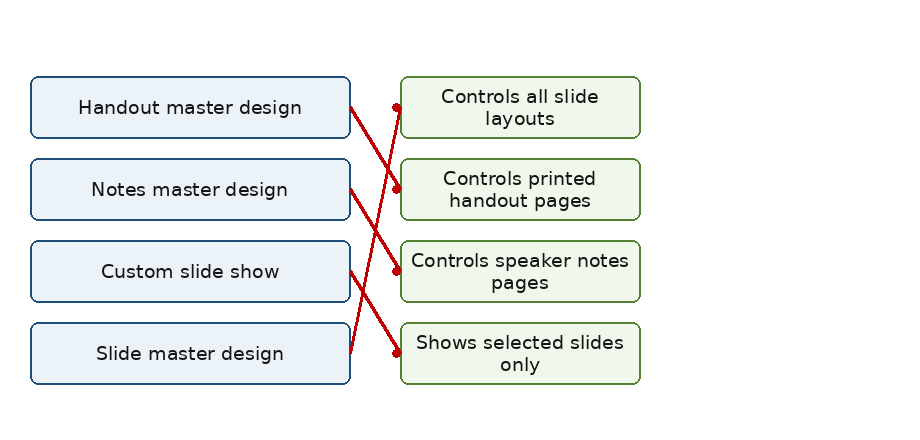
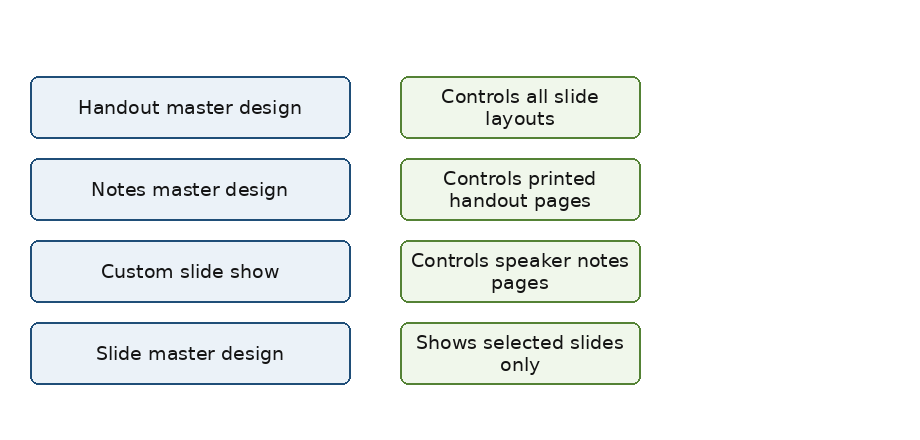
DRAG DROP
Match each presentation feature to its correct purpose.
Items to match: Slide master design, Handout master design, Notes master design, Custom slide show.

Answer is in the explanation below.
CORRECT TEXT
The display that privately shows notes while presenting is ______ View.
Answer is in the explanation below.
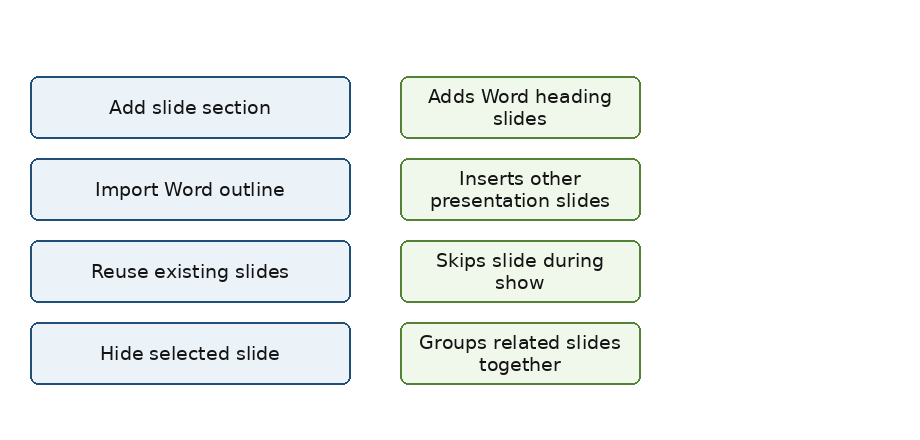
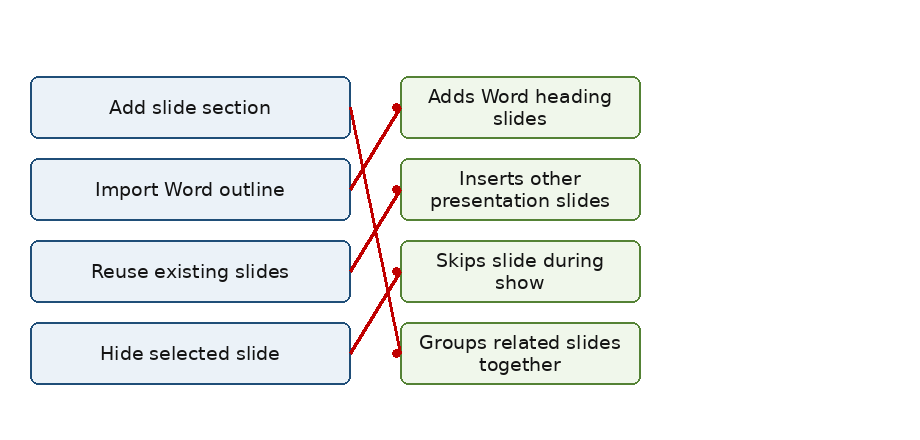
DRAG DROP
Match each slide action to its correct result.
Items to match: Import Word outline, Reuse existing slides, Hide selected slide, Add slide section.

Answer is in the explanation below.