Study4Pass Test Engine
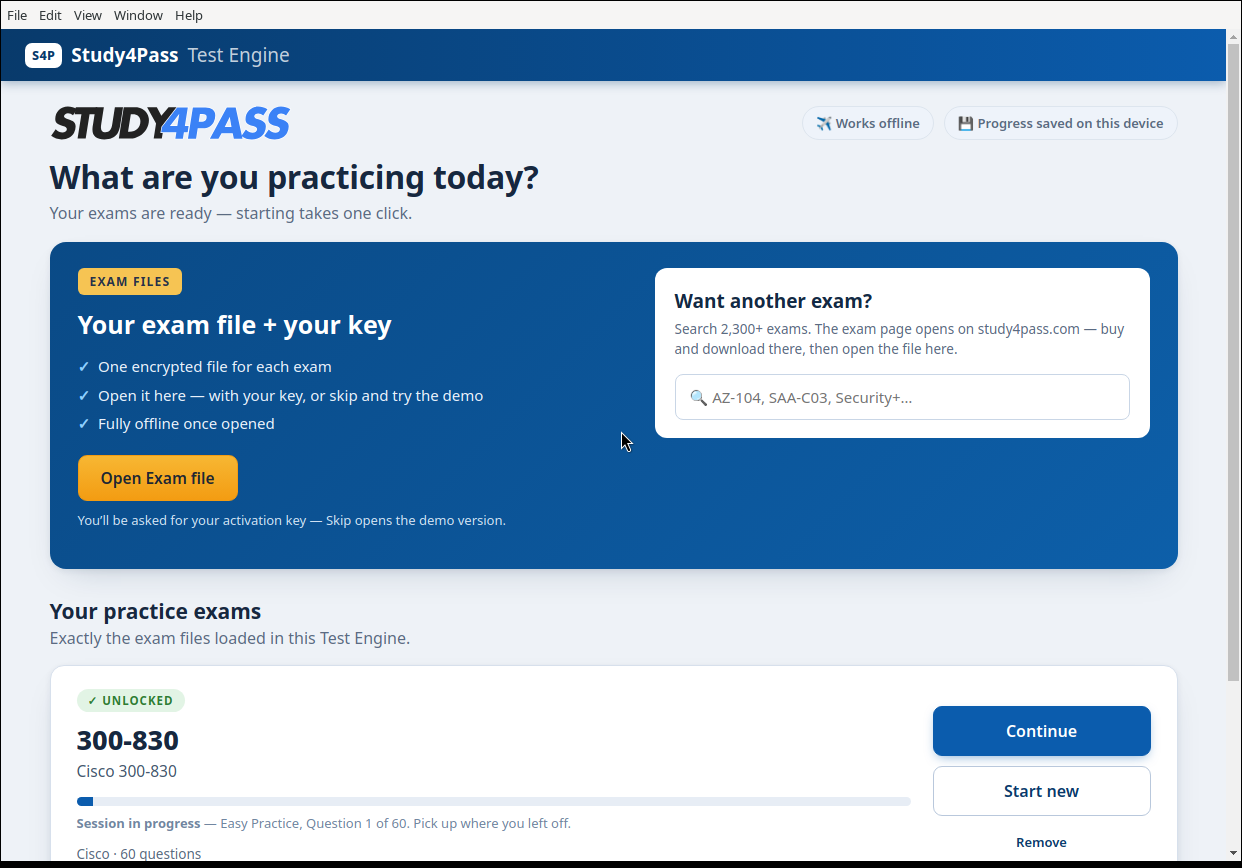
The free player app for Study4Pass practice exams. Download it once, open your exam files (.s4pack), and practice with real scoring in five modes — with Ask AI built in to explain any concept. There is nothing to install: just unzip and run, and once your exam is opened, everything works offline on your own device.
Features
- Realistic exam simulation
- Several different question types
- Customizable exam taking mode
- Whole exam in a single file
- Open unlimited exam files
- No extra charges to use Test Engine (Totally FREE)
New in the Study4Pass Test Engine
- Ask AI in every question — get the concept explained by ChatGPT, Gemini, Claude or Copilot (your own AI account) without leaving the player. The 1st AI-Enabled Exam Practice.
- Five practice modes — Easy Practice with instant feedback, Hard Practice, timed Exam Simulation, Topic Training and Flagged Practice.
- Interactive questions, scored for real — drag-and-drop with full pairing maps, fill-in-the-blank, choose-two and lab questions.
- Free trial on every exam — the first questions are free; activate with your key to unlock them all (keys stay valid for 90 days).
- Fully offline practice — once your exam is opened, everything runs on your device.
- Flags, notes and saved progress — flag questions, keep private notes, pause & resume, and finish with a score and a topic-by-topic breakdown.
- Web Test Engine included — the same exam runs in your browser from your dashboard, no download needed.
- One portable app — for Windows, Mac and Linux: unzip and run, nothing to install.
Download the Test Engine
Version 0.5.1 · Free · Portable app — unzip the file and run it, nothing to install.
Video tutorials
Four short videos walk you through the whole player, from your first download to Ask AI.
Part 1: Getting Started
Part 2: Activate Your Exam
Part 3: Modes & Options
Part 4: Ask AI, Web Test Engine & Troubleshooting
Full playlist: Study4Pass Test Engine Tutorials on YouTube.
System requirements
- Windows
- Windows 10 or 11 (64-bit)
- Mac
- macOS 11 (Big Sur) or later. Intel build — on Apple Silicon Macs it runs via Rosetta 2.
- Linux
- 64-bit, most modern distributions (Ubuntu, Debian, Fedora)
- Free disk space
- About 300 MB for the player, plus room for your exam files
- Internet
- Not needed to practice — once an exam is opened, everything runs offline on your device. Only Ask AI uses the internet, in your own AI account.
- Installation
- None — the player is portable. Unzip it anywhere and run it.
How it works
- 1. Download the free player for Windows, Mac or Linux above and unzip it.
- 2. Get your exam file (.s4pack) from your Study4Pass dashboard — it is in your order, next to your activation keys.
- 3. Open the exam file in the player. Every exam starts with a free trial — the first questions are free.
- 4. Activate with your key to unlock the full exam (keys stay valid for 90 days).
- 5. Practice your way — Easy Practice, Hard Practice, timed Exam Simulation, Topic Training or Flagged Practice, and ask AI whenever a concept needs a clearer explanation.
New to Study4Pass? Browse 2,300+ practice tests and start with a free practice test on any exam page.