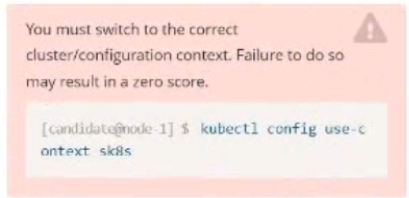
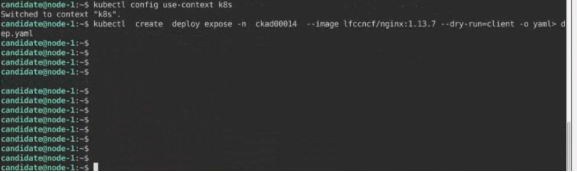
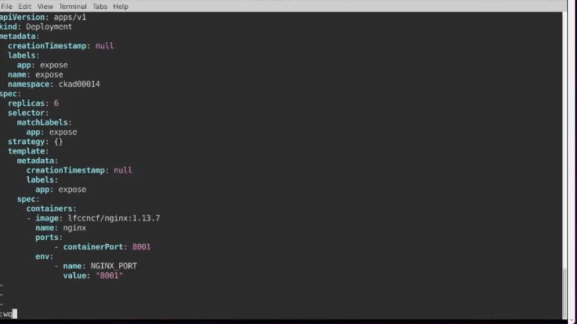
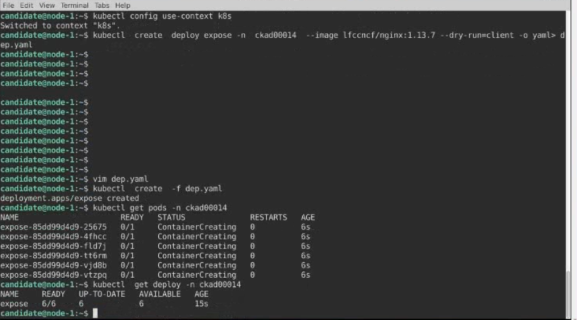
Create a Deployment named expose in the existing ckad00014 namespace running 6 replicas of a Pod. Specify a single container using the ifccncf/nginx: 1.13.7 image
Add an environment variable named NGINX_PORT with the value 8001 to the container then expose port 8001
Answer is in the explanation below.
Ask AI for More Explanation
— your own AI account, opens inside the app
Reference / correct answer:
Seethesolutionbelow.
Solution:
Question 2
Context
As a Kubernetes application developer you will often find yourself needing to update a running application.
Task
Please complete the following:
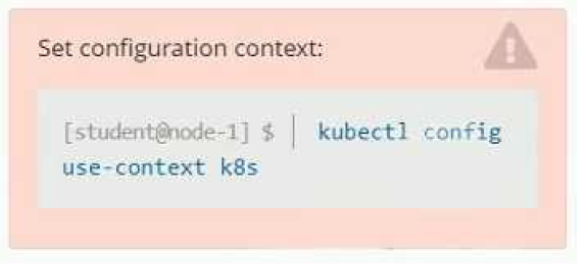
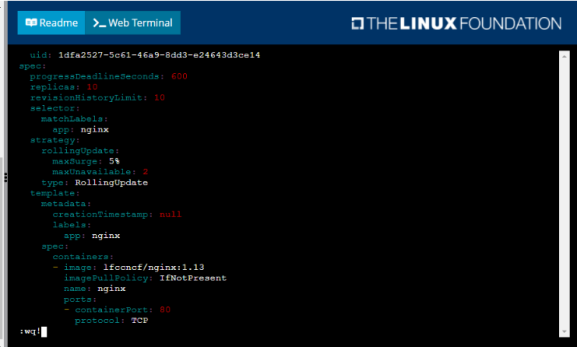
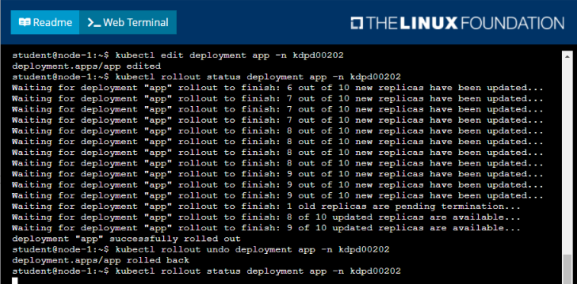
• Update the app deployment in the kdpd00202 namespace with a maxSurge of 5% and a maxUnavailable of 2%
• Perform a rolling update of the web1 deployment, changing the Ifccncf/ngmx image version to 1.13
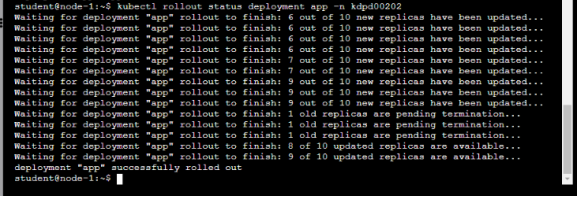
• Roll back the app deployment to the previous version
Answer is in the explanation below.
Ask AI for More Explanation
— your own AI account, opens inside the app
Reference / correct answer:
Seethesolutionbelow.
Solution:
Question 3
Task:
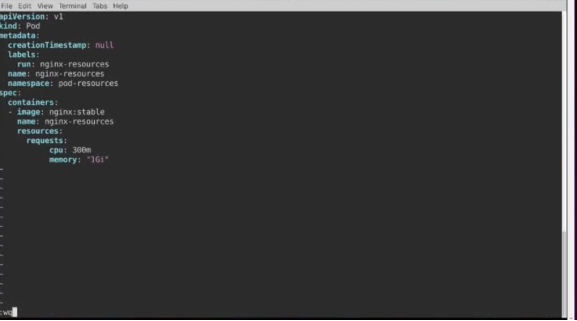
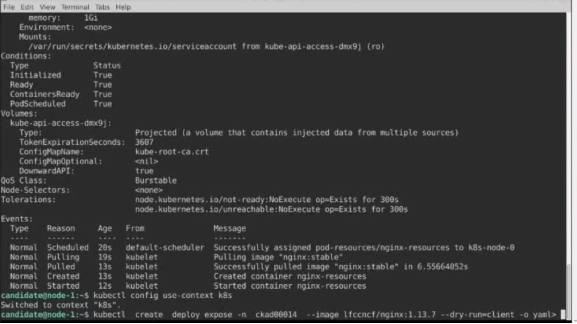
Create a Pod named nginx resources in the existing pod resources namespace.
Specify a single container using nginx:stable image.
Specify a resource request of 300m cpus and 1G1 of memory for the Pod’s container.
Answer is in the explanation below.
Ask AI for More Explanation
— your own AI account, opens inside the app
Reference / correct answer:
Seethesolutionbelow.
Solution:
Question 4
Context
A project that you are working on has a requirement for persistent data to be available.
Task
To facilitate this, perform the following tasks:
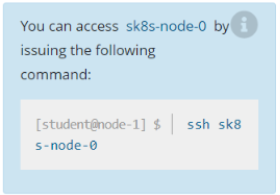
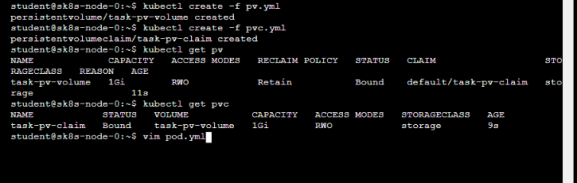
• Create a file on node sk8s-node-0 at /opt/KDSP00101/data/index.html with the content Acct=Finance
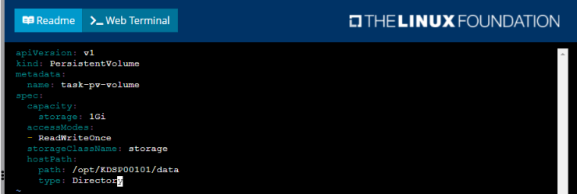
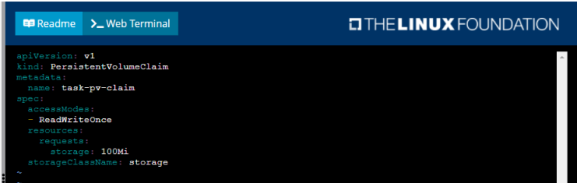
• Create a PersistentVolume named task-pv-volume using hostPath and allocate 1Gi to it, specifying that the volume is at /opt/KDSP00101/data on the cluster's node. The configuration should specify the access mode of ReadWriteOnce . It should define the StorageClass name exam for the PersistentVolume , which will be used to bind PersistentVolumeClaim requests to this PersistenetVolume.
• Create a PefsissentVolumeClaim named task-pv-claim that requests a volume of at least 100Mi and specifies an access mode of ReadWriteOnce
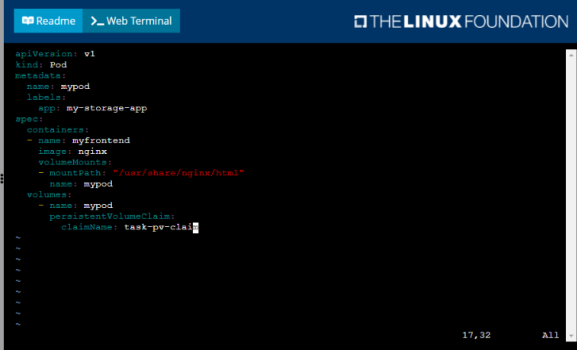
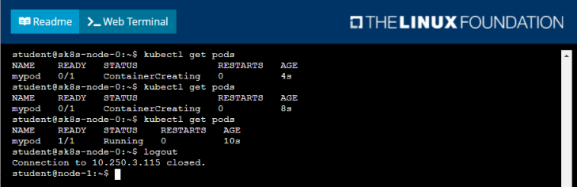
• Create a pod that uses the PersistentVolmeClaim as a volume with a label app: my-storage-app mounting the resulting volume to a mountPath /usr/share/nginx/html inside the pod
Answer is in the explanation below.
Ask AI for More Explanation
— your own AI account, opens inside the app
Reference / correct answer:
Seethesolutionbelow.
Solution:
Question 5
Task:
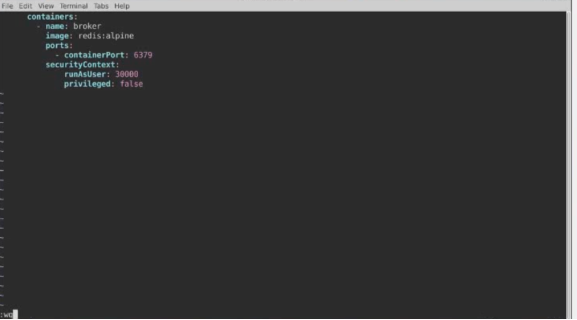
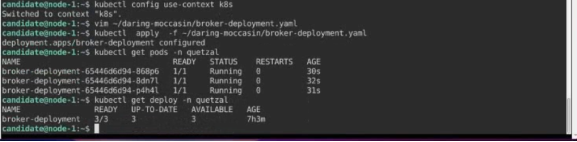
Modify the existing Deployment named broker-deployment running in namespace quetzal so that its containers.
1) Run with user ID 30000 and
2) Privilege escalation is forbidden
The broker-deployment is manifest file can be found at:
Answer is in the explanation below.
Ask AI for More Explanation
— your own AI account, opens inside the app
Reference / correct answer:
Seethesolutionbelow.
Solution:
About the CKAD Free Practice Test
This page holds a free practice test for the Certified Kubernetes Application Developer Program (CKAD) certification from Linux Foundation. The 5 questions are a free sample of the full Study4Pass practice set of 33 questions, so you can check your level before you commit to the real exam. The free sample is made up of 5 hands-on lab questions, each with a full explanation. Questions are spread across the areas that matter most on the real exam: Such as Kubernetes architecture, Core concepts, Configuration and Networking. The Linux Foundation Certified Kubernetes Application Developer (CKAD) exam is a performance-based exam that tests a candidate's ability to design, build, configure, and troubleshoot Kubernetes applications.
The Linux Foundation Certified Kubernetes Application Developer (CKAD) exam is designed for professionals who want to demonstrate their competency in the container-orchestration technology of Kubernetes. The Linux Foundation Certified Kubernetes Application Developer (CKAD) exam has no prerequisites.
Certification: Certified Kubernetes Application Developer Program (CKAD)
Vendor: Linux Foundation
Free on this page: 5 practice questions with answers and explanations
Full practice set: 33 questions
Treat this sample as a diagnostic. Answer honestly, check the explanation after every question, and note which topics feel shaky. A short, focused review of those topics is worth more than re-reading everything — and the full set lets you drill them topic by topic.
A good way to use this page: take the whole sample in one sitting, then go back over every explanation with fresh eyes. Mark the topics that felt uncertain, not just the ones you got wrong — uncertain answers are unmarked risk on the real exam. One or two focused passes like this usually move a score more than days of passive reading.
Inside the full CKAD practice set:
All 33 questions with answers and explanations
Timed Exam Simulation that mirrors the real exam pressure
Topic Training to drill one domain at a time
Ask AI for More Explanation on every question
Flag questions and review them before you finish
How to use this CKAD free practice test
Answer a question, then check the result to see the correct answer and the explanation behind it. Work at your own pace — there is no timer and no signup. Stuck on a concept? This is an AI-Enabled practice test: use Ask AI on any question and get the underlying concept explained in plain words, so you learn the reasoning instead of memorizing answers. Ready for more? The full 33-question set adds a timed Exam Simulation mode, topic training for your weak areas, and a flagged-question review, so you can practise the way the real exam feels.
What to study for each CKAD domain
Such as Kubernetes architecture — For Such as Kubernetes architecture, focus on understanding why each correct answer is right; the real exam rewards reasoning over recall.
Core concepts — Drill Core concepts with the questions above, and revisit any explanation that surprises you — surprises are exactly what to fix before the exam.
Configuration — Work through the Configuration questions until the reasoning behind each answer is clear — guessing your way past this area will show up on exam day.
Networking — Use the practice questions to find your gaps in Networking first, then read the official Linux Foundation documentation for anything you missed.
Scheduling — For Scheduling, focus on understanding why each correct answer is right; the real exam rewards reasoning over recall.
Security — Drill Security with the questions above, and revisit any explanation that surprises you — surprises are exactly what to fix before the exam.
And troubleshooting — Work through the And troubleshooting questions until the reasoning behind each answer is clear — guessing your way past this area will show up on exam day.
CKAD practice test — quick questions
Is this CKAD practice test free?
Yes — the 5 questions on this page are completely free, with no signup and no payment details needed.
How many questions are in the full CKAD set?
33 questions. The 5 free questions above are a sample of that full set, in the same style and topic balance.
Does the free test show the answers?
Yes — every question shows the correct answer with an explanation, and Ask AI can explain the concept behind a question in plain words if you want to go deeper.
Is this the real CKAD exam?
No. This is a practice test: the questions are written to mirror the real CKAD exam’s topics and difficulty, not copied from it.