Free CSA – ServiceNow Certified System Administrator Practice Test Question

Free demo downloads

Loading demo links...

Showing 4–6 of 15 questions

Question 4

From a form, what would you click to add additional fields to the form? (Choose two.)

Select all that apply, then click Submit answer.

  • ○

    Context Menu > Form > Layout

  • ○

    Context Menu > Configure > Form Layout

  • ○

    Context Menu > Configure > Form Design

  • ○

    Right click on header > Add > Field

  • ○

    Context Menu > Form > Designer

  • ○

    Right click on header > Configure > UX Dashboard
Question 5

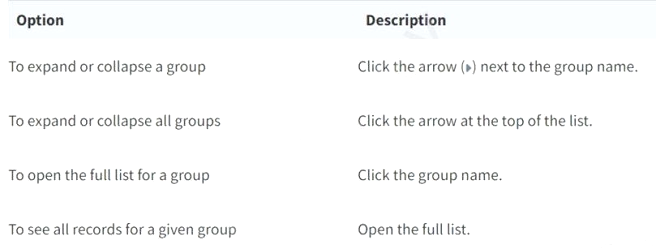
What would you do, on a list, if you wanted to show the records in groups, based on the column category? (Choose two.)

Select all that apply, then click Submit answer.

  • ○

    On list Context Menu, select Group By > Category

  • ○

    On the Filter Menu, select Group By > Category

  • ○

    Click Group On icon, select Category

  • ○

    On Navigator Filter, type tablename.group.category and press enter

  • ○

    On the Category column title, click Context menu > Group By Category

Question 6

From the User menu, which actions can a user select? (Choose three.)

Select all that apply, then click Submit answer.

  • ○

    Send Notifications

  • ○

    Log Out ServiceNow

  • ○

    Elevate Roles

  • ○

    Impersonate Users

  • ○

    Order from Service Catalog

  • ○

    Approve Records