Which tab reveals the hidden Developer tab?
Select an option, then click Submit answer.
- ○ File Options Customize Ribbon
- ○ Review Protect Restrict Editing
- ○ Insert Header Footer Tools
- ○ Design Themes Colors Fonts
Loading demo links...
Showing 1–12 of 12 questions
Which tab reveals the hidden Developer tab?
Select an option, then click Submit answer.
How do you change the Normal template font?
Select an option, then click Submit answer.
Which command compares two document versions?
Select an option, then click Submit answer.
Which feature combines revisions from multiple reviewers?
Select an option, then click Submit answer.
How are older document versions recovered?
Select an option, then click Submit answer.
Which setting enables macros in one document?
Select an option, then click Submit answer.
Which two actions protect a document before sharing? (Choose two.)
Select all that apply, then click Submit answer.
Which two tasks use the Developer tab? (Choose two.)
Select all that apply, then click Submit answer.
Which two features manage multiple document versions? (Choose two.)
Select all that apply, then click Submit answer.
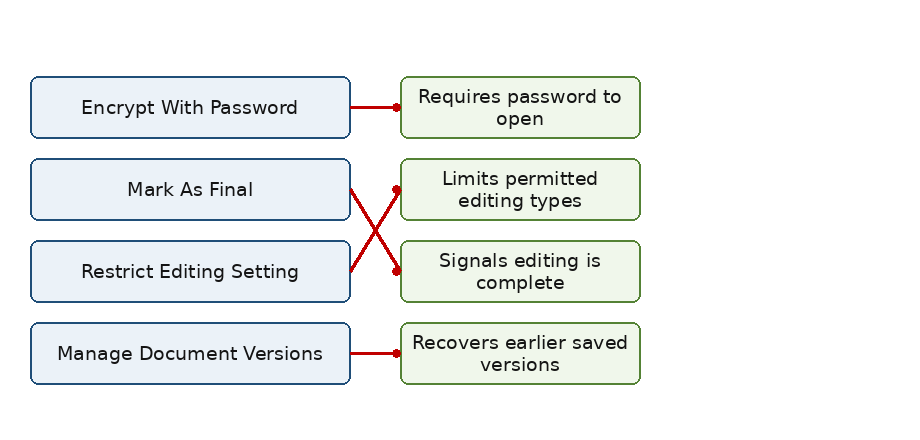
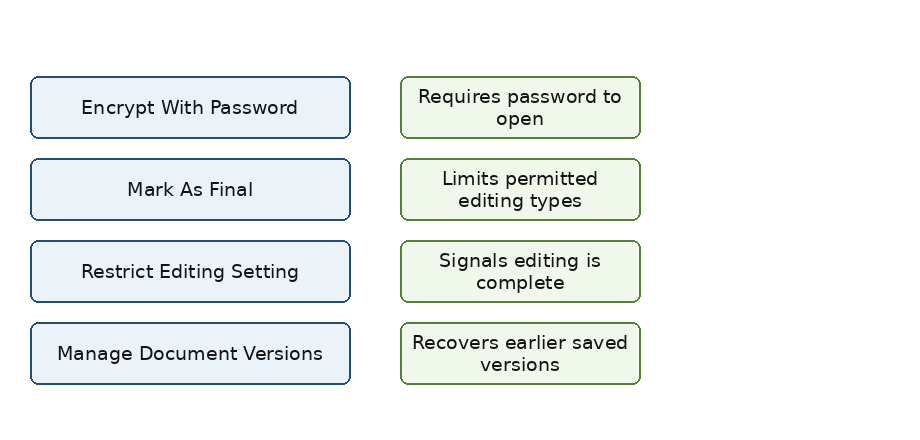
DRAG DROP
Match each protection feature to its correct effect.
Items to match: Encrypt With Password, Restrict Editing Setting, Mark As Final, Manage Document Versions.

Answer is in the explanation below.
CORRECT TEXT
The global template that stores default settings is called ______.
Answer is in the explanation below.
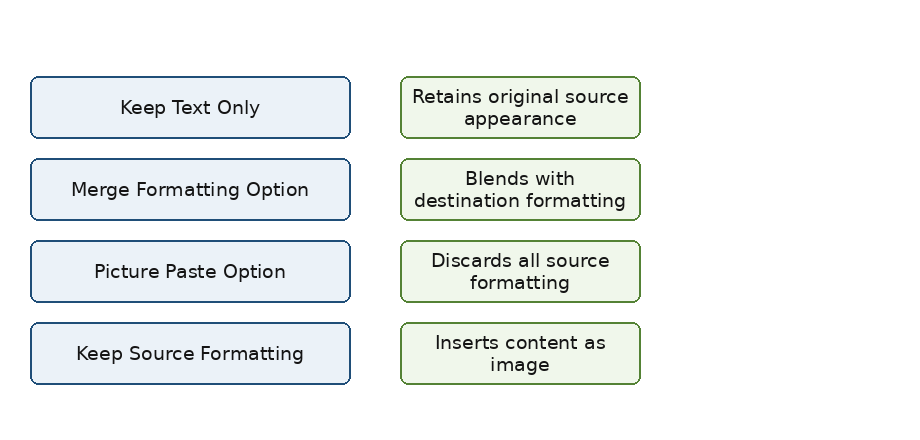
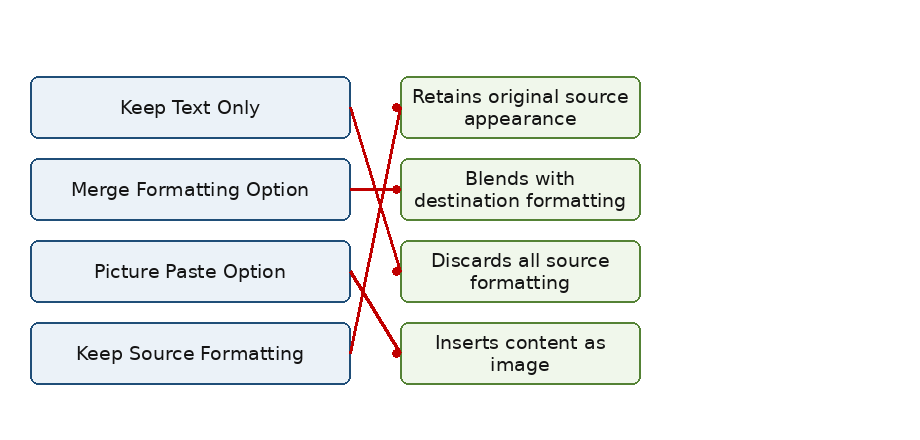
DRAG DROP
Match each paste option to its correct result.
Items to match: Keep Source Formatting, Merge Formatting Option, Keep Text Only, Picture Paste Option.

Answer is in the explanation below.