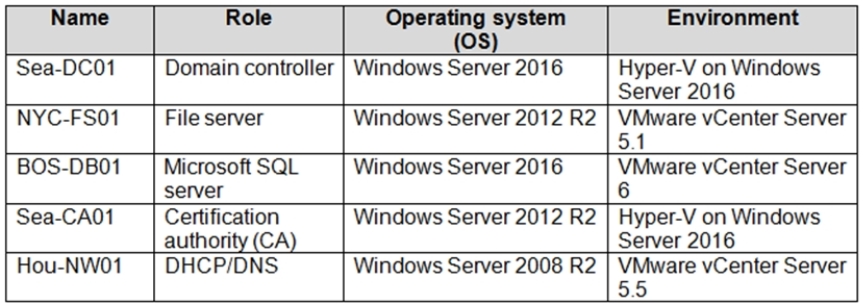
Your VMware vSphere on-premises infrastructure hosts 600 virtual machines (VMs).
Your company is planning to move all of these VMs to Azure. You are asked to provide information about
the resources that will be needed in Azure to host all of the VMs.
All VMs hosted in your on-premise infrastructure are based on Windows Server 2012 R2 or newer and RedHat Enterprise Linux 7.0 or newer.
You conduct the initial migration assessment and get a message that some virtual machines are conditionally ready for Azure.
You need to find the cause of this message.
What are two reasons why are you might get this message on some VMs? (Choose two)
Each correct answer presents part of the solution.
Select all that apply, then click Submit answer.
Reference / correct answer:
The operating system is configured as Windows Server 2003 in vCenter Server.
The VMs are configured with the UEFI boot type.
In Azure Migrate (VMware assessment), **Conditionally ready for Azure** can appear when a VM is technically supportable but has configuration issues/constraints that require changes before migration.
Two common causes are:
1) **Incorrect/unsupported OS identified in vCenter** (for example, set to Windows Server 2003). Even if the guest OS is actually newer, if vCenter reports an older/unsupported OS, the assessment can flag it as conditionally ready.
2) **UEFI boot configuration**. Some migration/replication paths and VM sizing/target constraints may require adjustments when a VM uses UEFI (for example, ensuring Azure Generation 2 support and meeting prerequisites), so Azure Migrate can mark such VMs as conditionally ready.
References (official):
-
https://learn.microsoft.com/en-us/azure/migrate/concepts-assessment-calculation
-
https://learn.microsoft.com/en-us/azure/migrate/migrate-support-matrix-vmware