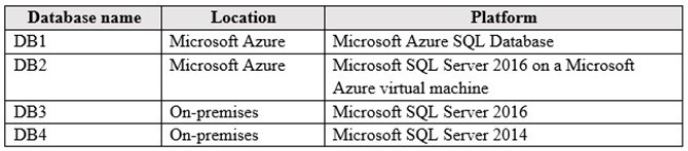
You deploy a new Microsoft Azure SQL Database instance to support a variety of mobile applications and public websites.
You have the following requirements:
 You must be able to replicate the database to Azure datacenters in other regions by using geo-replication.
Clients must only connect to the Azure SQL Database by using contained database users.
You must be able to move the database to other servers in the future.
Only applications in the 23.96.52.0-23.96.52.255 IP range are permitted to access the database. The firewall settings for the instance must not provide access to any other Azure services.
You need to configure the firewall settings for the environment.
Which three actions should you perform? Each correct answer presents part of the solution.
Select all that apply, then click Submit answer.
-
○
In the Azure portal, enable Allow access to Azure services for the Azure SQL Database server
-
○
Run the following Transact-SQL statement:
EXECUTE sp_set_database_firewall_rule N'Applications', '23.96.52.0', '23.96.52.255' -
○
Run the following Transact-SQL statement:
EXECUTE sp_set_firewall_rule N'Allow Windows Azure', '0.0.0.0', '0.0.0.0' -
○
Run the following Transact-SQL statement:
EXECUTE sp_set_firewall_rule N'Applications', '23.96.52.0', '23.96.52.255' -
○
Run the following Transact-SQL statement:
EXECUTE sp_set_database_firewall_rule N'Allow Windows Azure', '0.0.0.0', '0.0.0.0' -
○
In the Azure portal, disable Allow access to Azure services for the Azure SQL Database server