70-417 Upgrading Your Skills to MCSA Windows Server 2012

Loading demo links...

Showing 1–3 of 20 questions

Question 1

DRAG DROP

Your network contains an Active Directory domain named contoso.com. All client computers run Windows 8.

Group Policy objects (GPOs) are linked to the domain as shown in the exhibit. (Click the Exhibit button.)
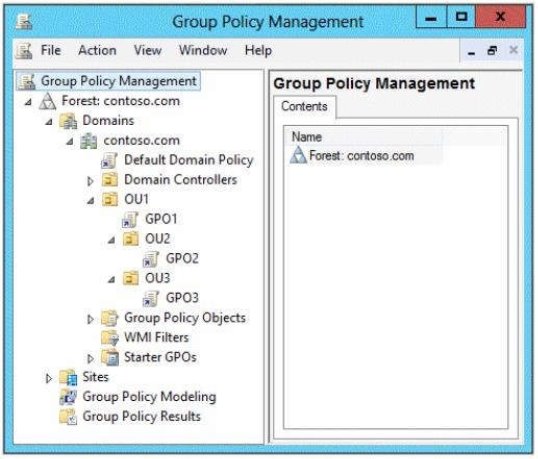
GPO2 contains computer configurations only and GPO3 contains user configurations only.

You need to configure the GPOs to meet the following requirements:

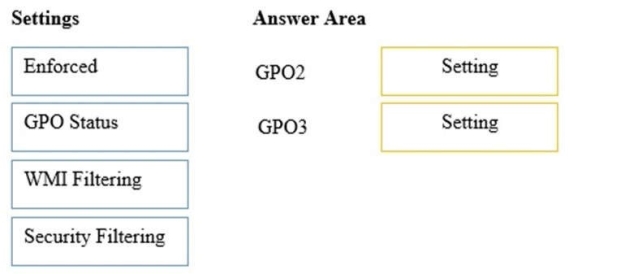
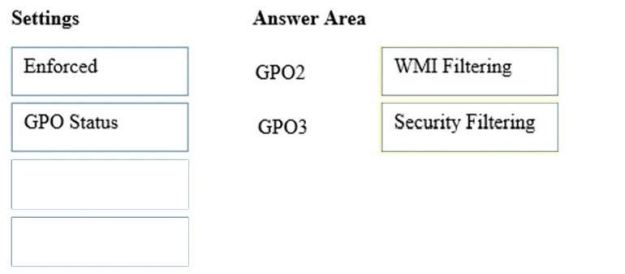
• Ensure that GPO2 only applies to the computer accounts in OU2 that have more than one processor.

• Ensure that GPO3 only applies to the user accounts in OU3 that are members of a security group named SecureUsers.

Which setting should you configure in each GPO?

To answer, drag the appropriate setting to the correct GPO. Each setting may be used once, more than once, or not at all. You may need to drag the split bar between panes or scroll to view content.

Select and Place:
Answer is in the explanation below.
Question 2

DRAG DROP

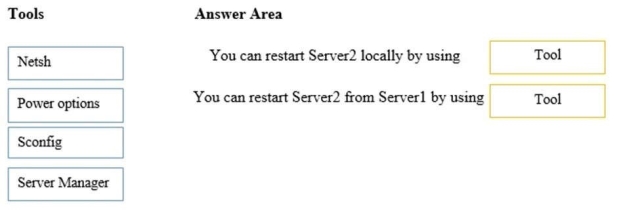
Your network contains an Active Directory domain named contoso.com. The domain contains two servers named Server1 and Server2.Server1 and Server2 run a Server with a GUI installation of Windows Server 2012 R2.

You remove the Graphical Management Tools and Infrastructure feature on Server2.

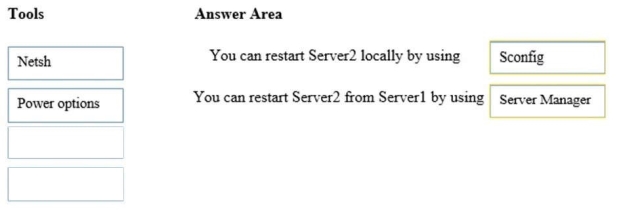
You need to restart Server2.

What should you do? (To answer, drag the appropriate tools to the correct statements. Each tool may be used once, more than once, or not at all. You may need to drag the split bar between panes or scroll to view content.)

Select and Place:

Answer is in the explanation below.
Question 3

HOTSPOT Your network contains an Active Directory domain named contoso.com.

You have a failover cluster named Cluster1 that contains two nodes named Server1 and Server2. Both servers run Windows Server 2012 R2 and have the Hyper-V server role installed.

You plan to create two virtual machines that will run an application named App1. App1 will store data on a virtual hard drive named App1data.vhdx.

App1data.vhdx will be shared by both virtual machines.

The network contains the following shared folders:

An SMB file share named Share1 that is hosted on a Scale-Out File Server.
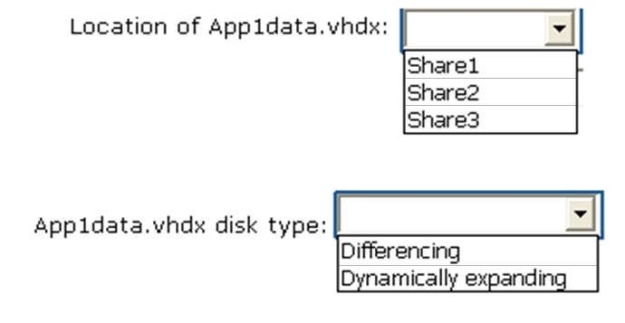
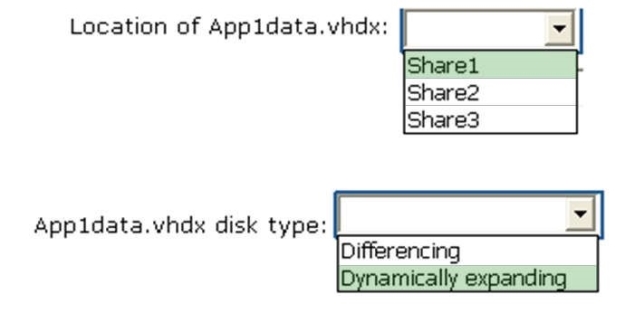
An SMB file share named Share2 that is hosted on a standalone file server. An NFS share named Share3 that is hosted on a standalone file server.

You need to ensure that both virtual machines can use App1data.vhdx simultaneously.

What should you do?

To answer, select the appropriate configurations in the answer area.

Hot Area:

Answer is in the explanation below.