Your company has an Exchange Server 2016 organization. The organization contains three Mailbox servers.
You need to ensure that email messages sent to the company meet the following requirements:
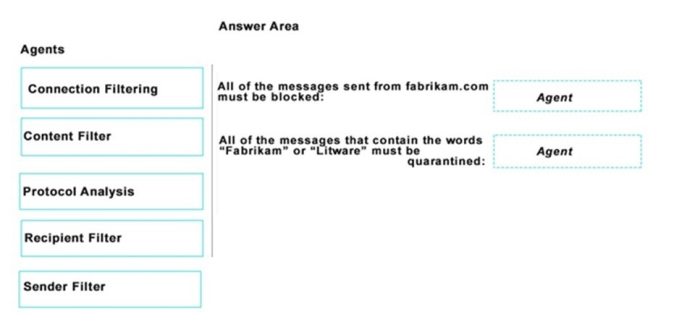
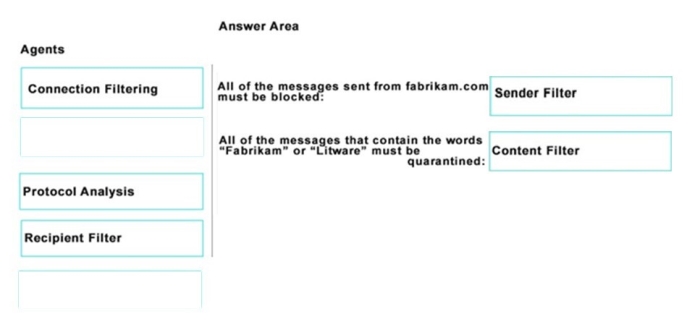
All of the messages sent from the SMTP domain of fabrikam.com must be blocked.
All of the messages that contain the words “Fabrikam” or “Litware” must be quarantined.
Which anti-spam agent should you configure for each requirement? To answer, drag the appropriate agents to the correct requirements. Each agent may be used once, more than once, or not at all. You may need to drag the split bar between panes or scroll to view content.
Your company recently deployed Exchange Server 2016.
Users use a variety of mobile devices to access their mailbox, including iPhones and iPads.
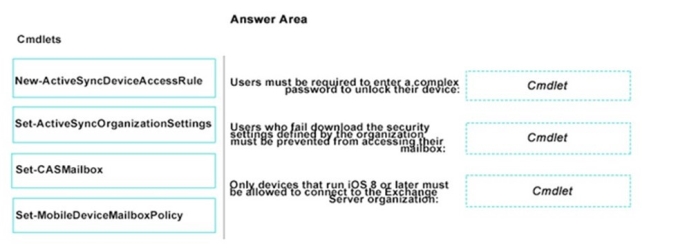
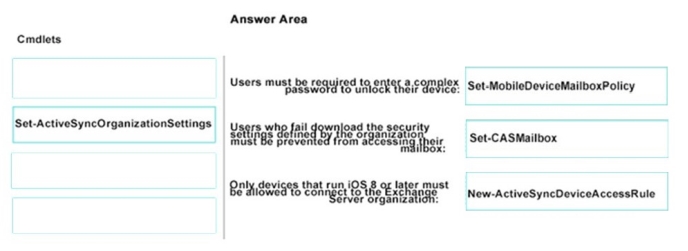
You need to configure security for the users who connect to the corporate network by using their mobile device. The solution must meet the following requirements: Users must be required to enter a complex password to unlock their device.
Only devices that run iOS 8 or later must be allowed to connect to the Exchange Server organization.
Users who fail to download the security settings defined by the organization must be prevented from accessing their mailbox.
Which cmdlet should you use for each requirement? To answer, drag the appropriate cmdlets to the correct requirements. Each cmdlet may be used once, more than once, or not at all. You may need to drag the split bar between panes or scroll to view content.
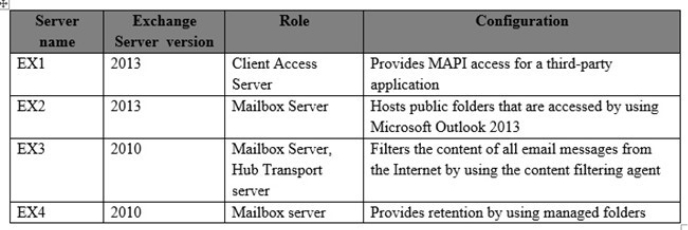
You have an Exchange Server organization. The organization contains four servers. The servers configured as shown in the following table.
You plan to upgrade the organization to Exchange Server 2016.
You need to identify which functionalities from the current environment can be implemented in Exchange Server 2016.
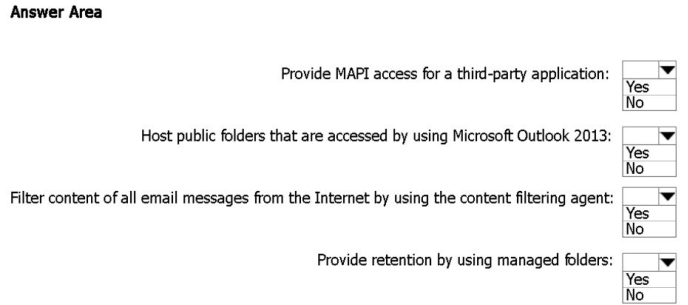
What should you identify? To answer, select the appropriate options in the answer area.
Hot Area:
Answer is in the explanation below.
Reference / correct answer:
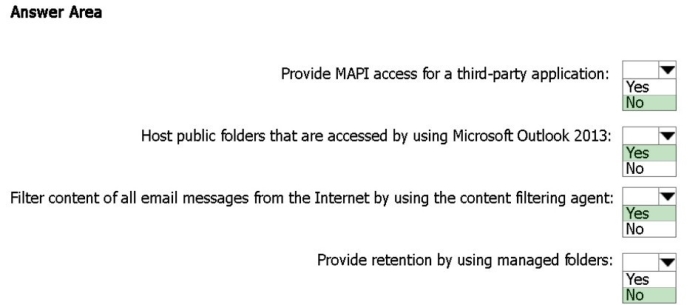
Box 1: No
Discontinued features from Exchange 2013 to Exchange 2016 include:
The MAPI/CDO library has been replaced by Exchange Web Services (EWS), Exchange ActiveSync (EAS), and Representational State Transfer (REST)* APIs. If an application uses the MAPI/ CDO library, it needs to move to EWS, EAS, or the REST APIs to communicate with Exchange 2016.
Box 2: Yes
Public folders are available in the following Outlook clients: Outlook on the web for Exchange 2016, Outlook 2007 or later, and Outlook for Mac.
Box 3: Yes
Content filtering evaluates inbound email messages by assessing the probability that the messages are legitimate or spam. Unlike other filtering technologies, the content filtering uses characteristics from a statistically significant sample of legitimate messages and spam to make its determination. Content filtering in Exchange Server 2016 is provided by the Content Filter agent, and is basically unchanged from Exchange Server 2010.
Box 4: No
In Exchange 2010, you use managed folders for messaging retention management (MRM). In Exchange 2016, managed folders aren’t supported. You must use retention policies for MRM.
 All of the messages sent from the SMTP domain of fabrikam.com must be blocked.