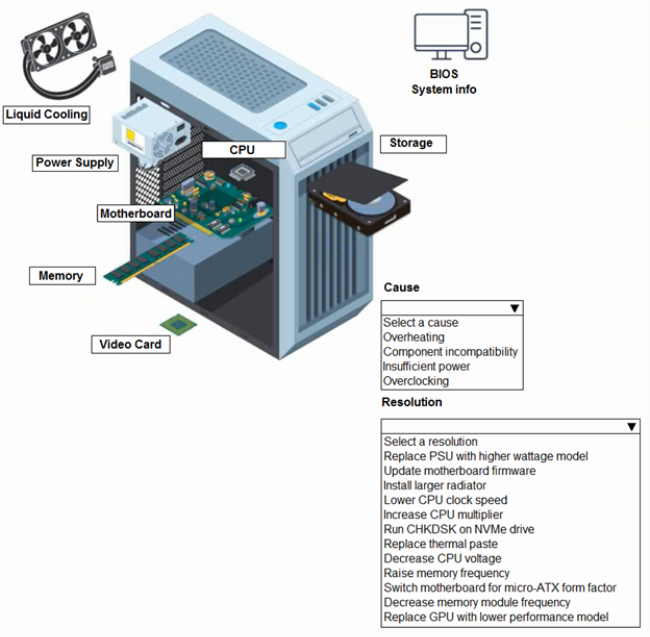
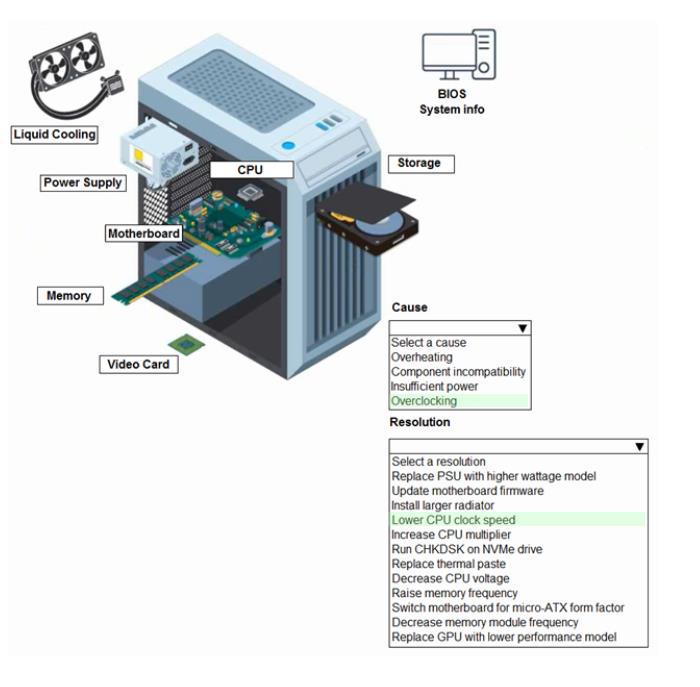
A customer built a computer for gaming, sourcing individual components and then assembling the system. The OS starts up, but within a few minutes the machine locks up. The customer brought the computer to a technician to diagnose the issue.
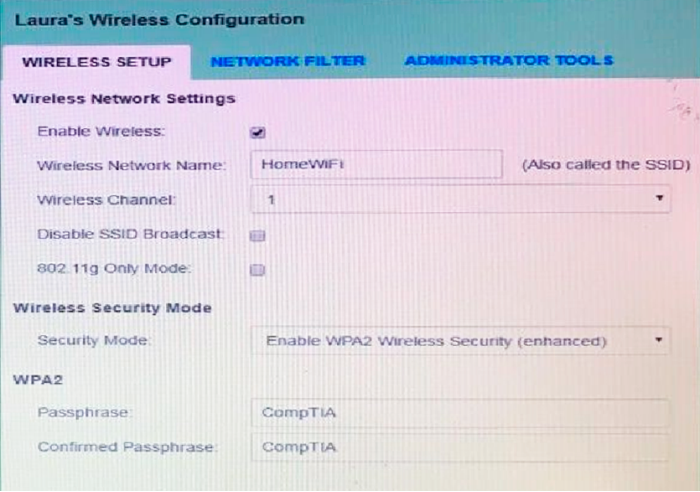
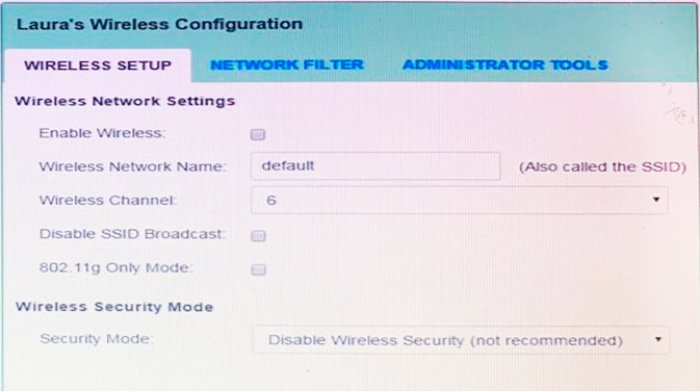
Laura, a customer, has instructed you to configure her home office wireless access point.
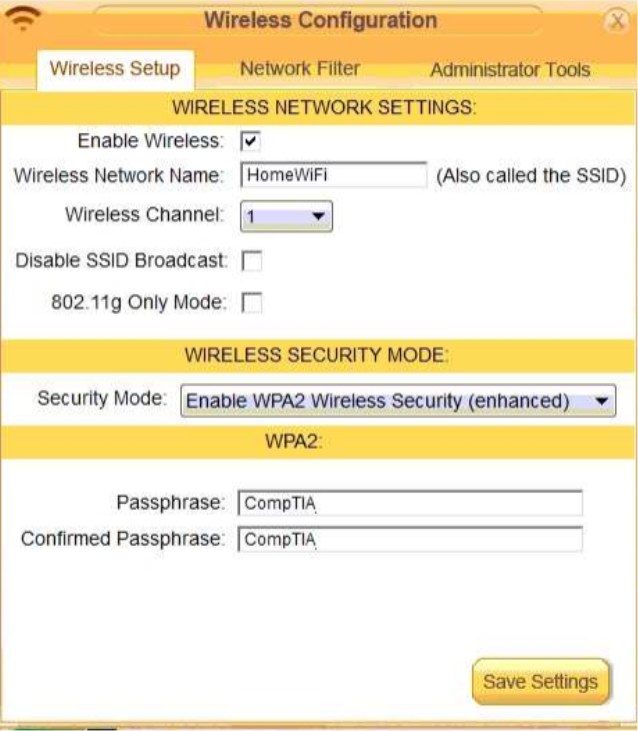
She plans to use the wireless network for finances and has requested that the network be setup with the highest encryption possible.
Additionally, Laura knows that her neighbors have wireless networks and wants to ensure that her network is not being interfered with by the other networks.
She requests that the default settings be changed to the following.
Wireless Name: HomeWiFi
Shared Key: CompTIA
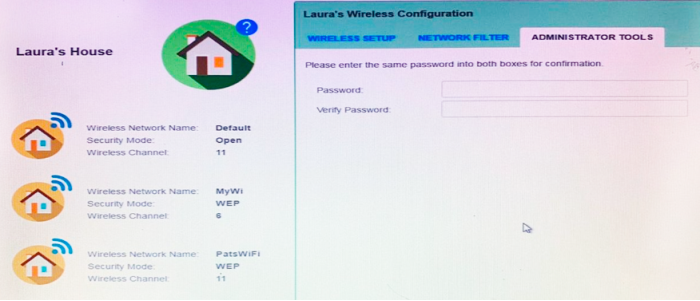
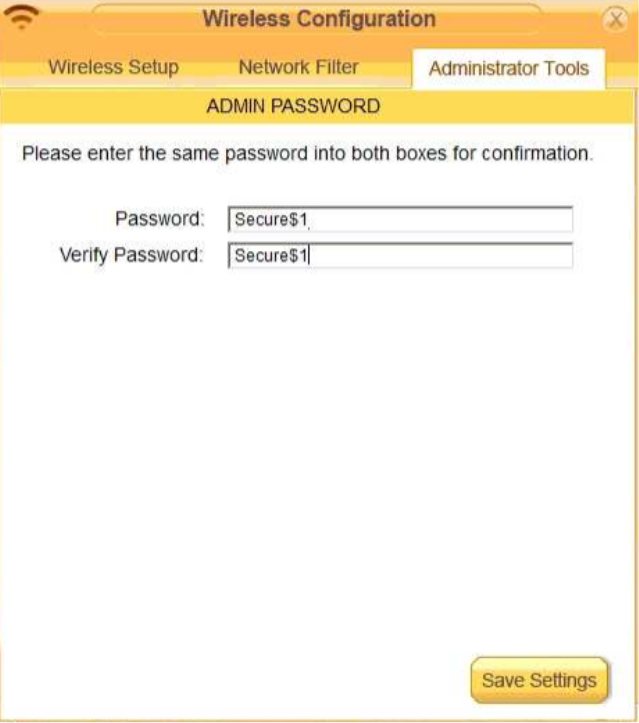
Router Password: Secure$1
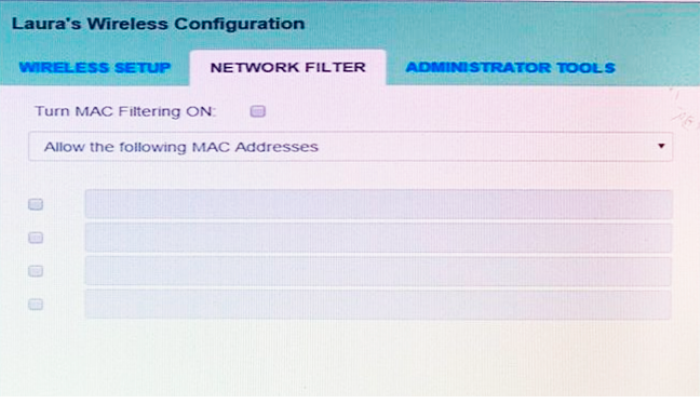
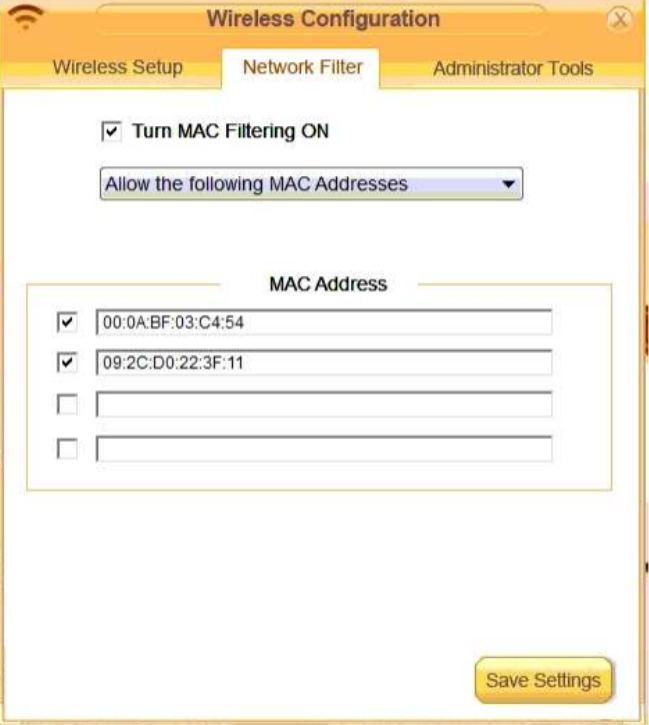
Finally, Laura wants to ensure that only her laptop and Smartphone can connect to the network.
Laptop: IP Address 192.168.1.100
Hardware Address: 00:0A:BF:03:C4:54
Smartphone: IP Address 192.168.1.101
Hardware Address: 09:2C:D0:22:3F:11
INSTRUCTIONS
Configure Laura’s wireless network using the network adapter window.
If at any time you would like to bring back the initial state of the situation, please click the Reset All button.
Answer is in the explanation below.
Reference / correct answer:
Seetheexplanationbelow
solution as
Question 3
A user reports a cell phone is getting hot. Which of the following are MOST likely to be possible causes? (Select THREE).
Select all that apply, then click Submit answer.
○
Using the device as a Wi-Fi hotspot
○
A cracked screen
○
A failing battery
○
Less than 15% free storage space on the phone
○
Privileged control
○
Recurring prompts to install OS updates
○
Granting too many application camera permissions
○
Too many open applications
Reference / correct answer:
Using the device as a Wi-Fi hotspot
A failing battery
Too many open applications
Limited Time Offer – Save Now!
Don’t miss out — get full access at the best price.