Question 1
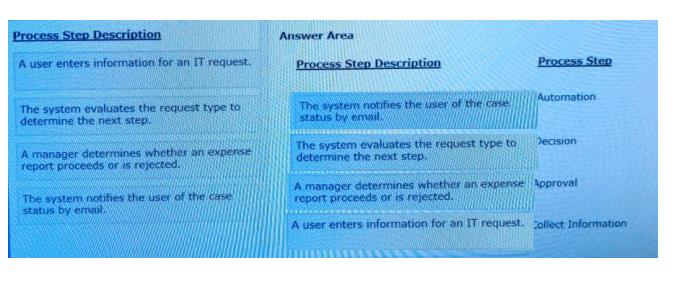
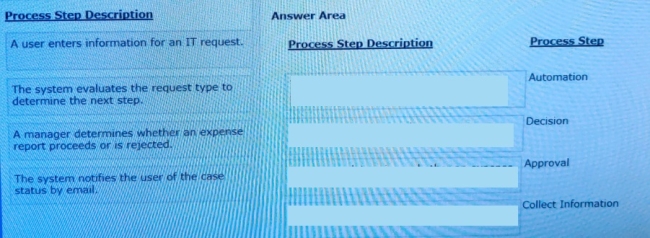
Select each Process Step Description on the left and drag it to the appropriate Process Step on the right.
Answer is in the explanation below.
Loading demo links...
Showing 1–3 of 15 questions
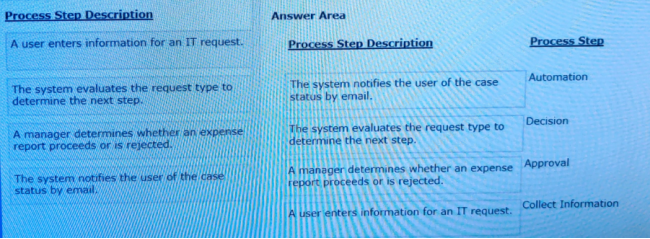
Select each Process Step Description on the left and drag it to the appropriate Process Step on the right.
Answer is in the explanation below.
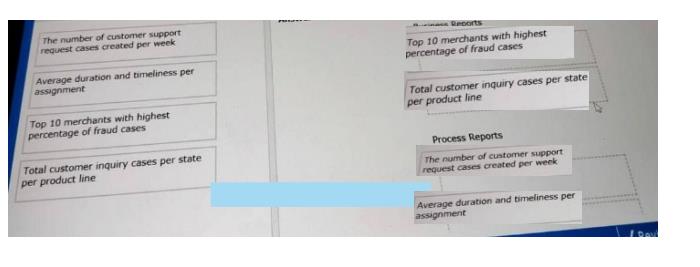
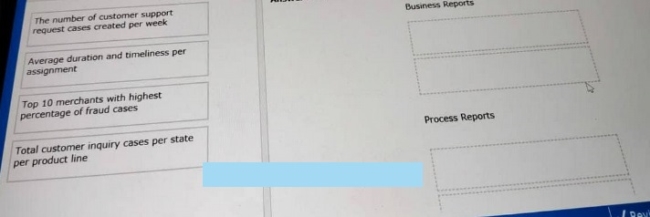
From the left drag each report into the corresponding report type on the right.
Answer is in the explanation below.
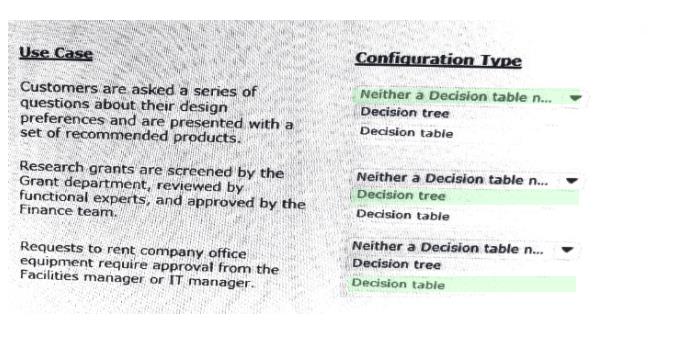
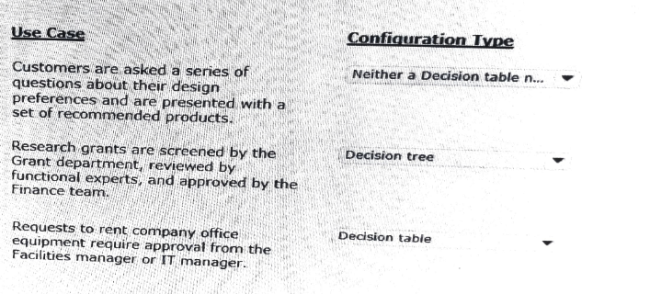
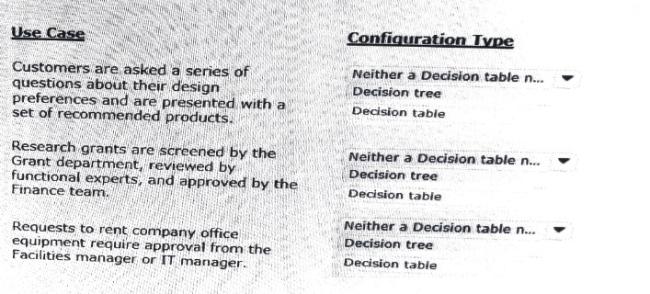
In the Answer Area, select the appropriate configuration type for each use case.
Answer is in the explanation below.