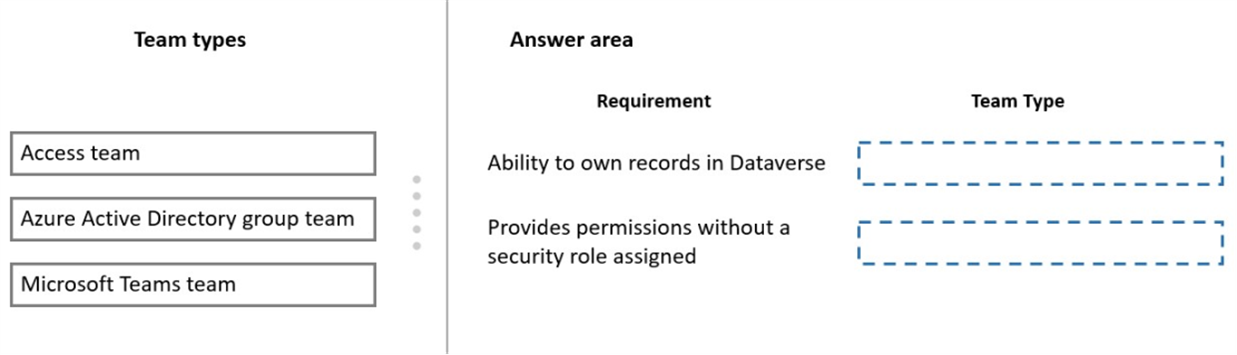
You are configuring Microsoft Dataverse security. You plan to assign users to teams.
Record ownership and permissions will differ based on business requirements.
You need to determine which team types meet the requirements.
Which team type should you use? To answer, drag the appropriate team types to the correct requirements. Each team type may be used once, more than once, or not at all. You may need to drag the split bar between panes or scroll to view content.
NOTE: Each correct selection is worth one point.
Answer is in the explanation below.
Reference / correct answer:
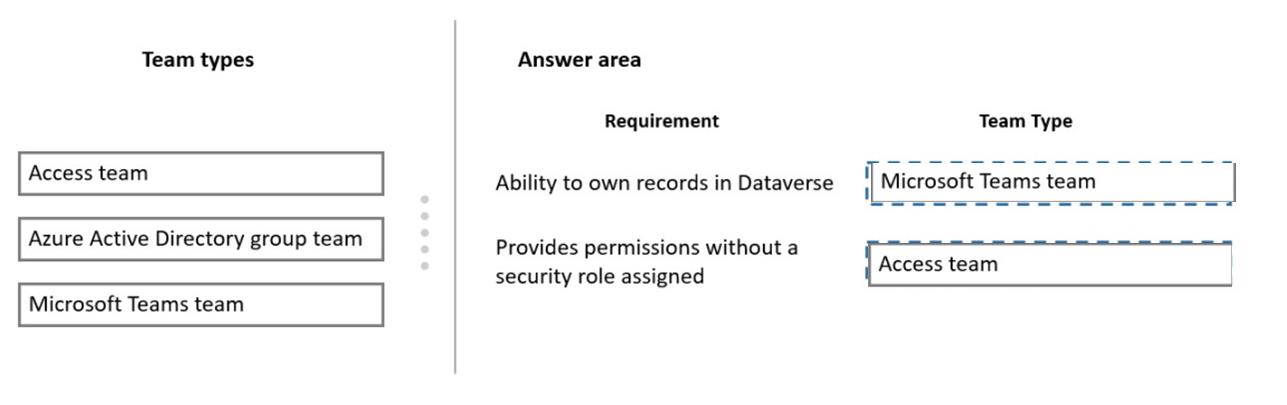
Box 1: Microsoft Teams team
Dataverse supports two types of record ownership. Organization owned, and User or Team owned. This is a choice that happens at the time the table is created and can’t be changed. For security purposes, records that are organization owned, the only access level choices is either the user can do the operation or can’t.
For user and team owned records, the access level choices for most privileges are tiered Organization, Business Unit, Business Unit and Child Business Unit or only the user’s own records. That means for read privilege on contact, I could set user owned, and the user would only see their own records.
Box 2: Access team
An access team doesn’t own records and doesn’t have security roles assigned to the team. The team members have privileges defined by their individual security roles and by roles from the teams in which they are members. The records are shared with an access team and the team is granted access rights on the records, such as Read, Write or Append.
A customer has a support website that includes FAQ pages, knowledge articles, and support content.
You plan to leverage an existing Power Virtual Agents bot to enhance and streamline existing support functionality for the existing support portal.
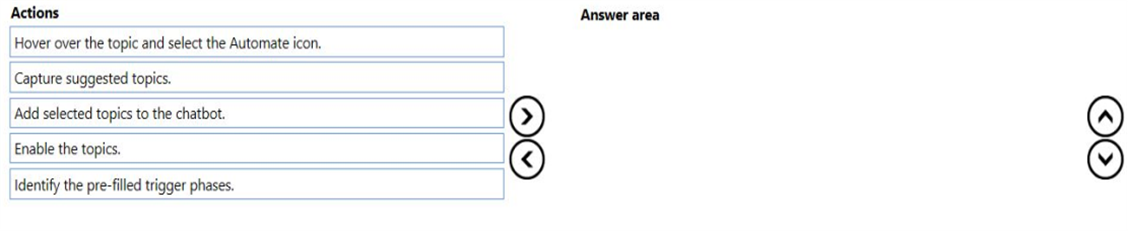
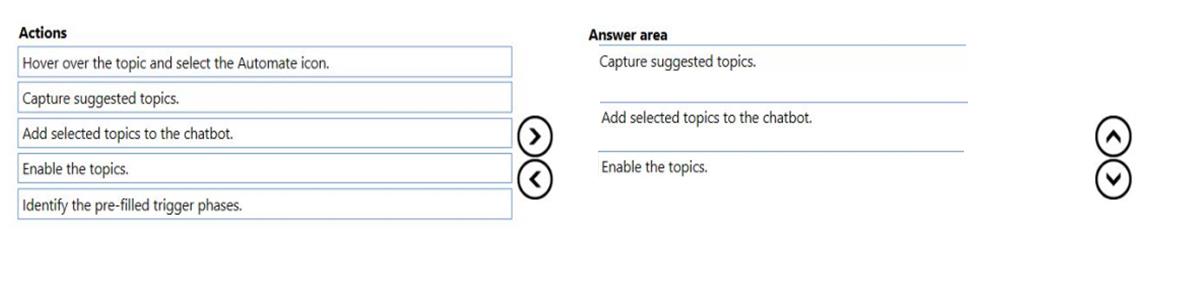
You need to create topics from existing website content. The process must minimize human errors during topic creation.
Which three actions should you perform in sequence? To answer, move the appropriate actions from the list of actions to the answer area and arrange them in the correct order.
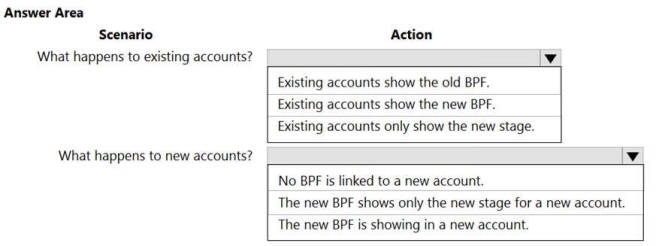
You have a business process flow (BPF) that interacts with the Account entity.
You modify the BPF and add a new stage at the beginning.
You need to identify the impact of the new version on the existing account records.
What is the outcome in each scenario? To answer, select the appropriate options in the answer area.
NOTE: Each correct selection is worth one point.
Hot Area:
Answer is in the explanation below.
Reference / correct answer:
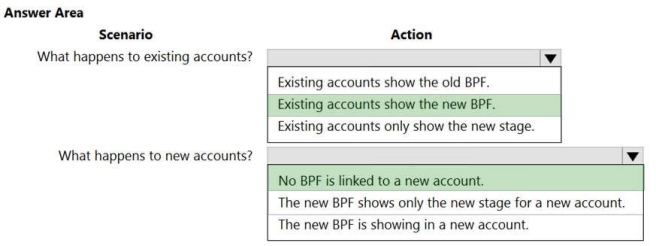
Box 1: Existing accounts show the new BPF.
When an entity record is being created and if there are multiple BPFs defined on that entity. The system would do the following:
If the ProcessId field is set to Guid.Empty. The system will skip defaulting the BPF on that instance.
If the ProcessId field is set to specific BPF entity reference. The system will default to the specified BPF. If the ProcessId field on the record is not set. The system will default the BPF.
Box 2: No BPF is linked to a new account.
Note: A business process flow definition is represented as a custom entity and an instance of a process is stored as a record within that entity. Each record is associated with a data record (such as an Account, Contact, Lead, or Opportunity) and in case of cross-entity processes, with a data record for each participating entity.