A company uses Microsoft Power Platform. All users in the company have read/write and create access to SharePoint.
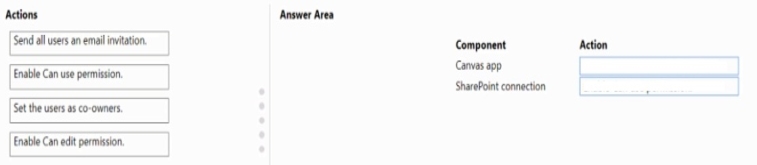
You create a canvas app that displays data from a SharePoint list. A group of users must use the app without the ability to change the data source.
You need to shore the app with the users.
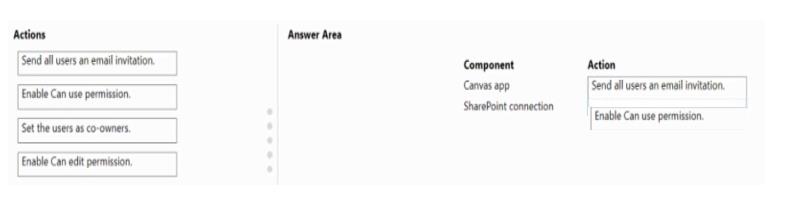
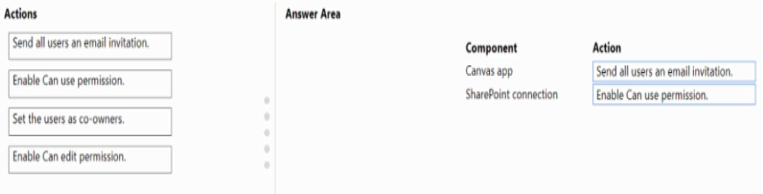
What should you do? To answer, drag the appropriate actions to the correct components. Each action may be used once, more than once, or not at all. You may need to drag the split bar between panes or scroll to view content.
NOTE: Each correct selection is worth one point.
Answer is in the explanation below.
Reference / correct answer:
Question 2(Mixed Questions)
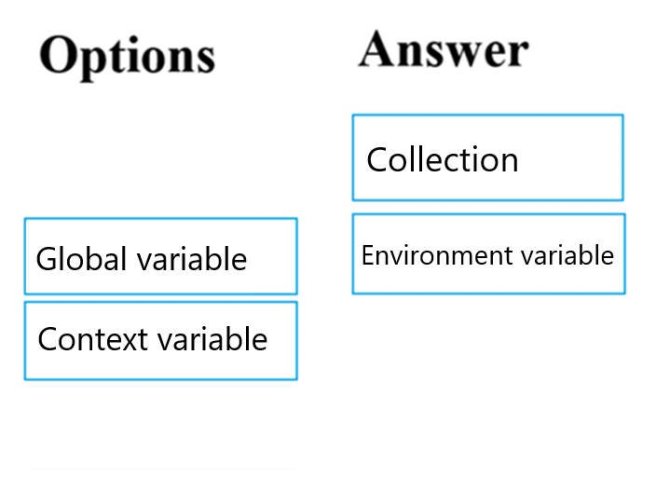
You are in the process of designing a new multi-page canvas app. The app connects to an outside data source to load tabular data.
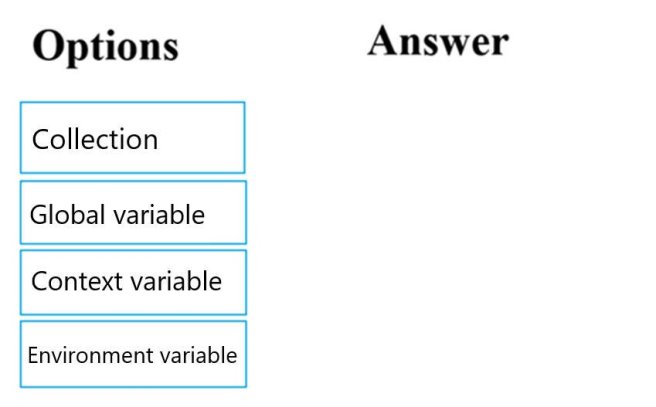
all screens within the canvas app must have access to the data after it is loaded. You want to make sure that data retrieval from the data source for the app is kept to a minimum.
You need to configure the use of a suitable data store.
Which of the following options could you make use of? Answer by dragging the correct options from the list to the answer area.
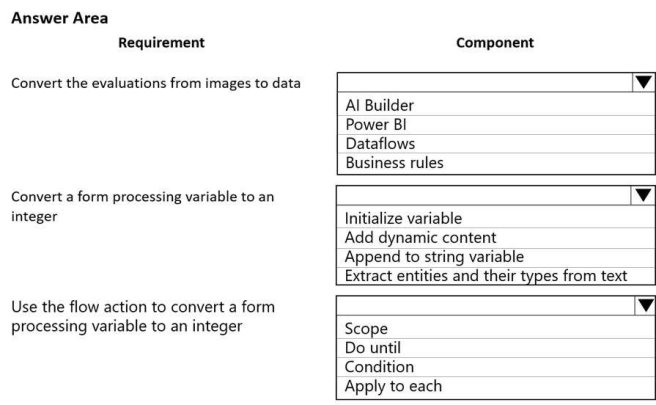
A company uses several forms for biannual performance evaluations. The company conducts the evaluations by using a pen and paper process. The evaluations contain several performance areas that have a score of 1-10. A paragraph explains the score.
The company must scan completed performance evaluations into a Common Data Service entity by using a Power Apps app. The information in the documents must automatically map to entities and convert into quantifiable information.
If any key phrases in the scored topics cause concern, the company must follow a series of actions to prepare for a follow up.
You need to extract the information and perform the actions when the evaluations are scanned.
Which component should you use? To answer, select the appropriate options in the answer area.
NOTE: Each correct selection is worth one point.
Hot Area:
Answer is in the explanation below.
Reference / correct answer:
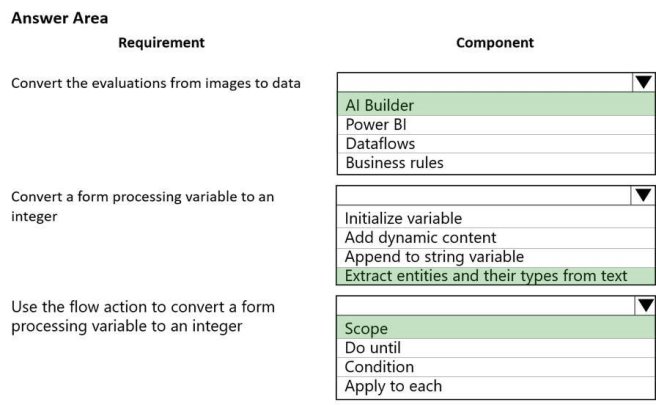
Box 1: AI Builder
The object detection component of AI Builder for PowerApps takes a photo or loads an image file to do an object detection scan. On a mobile device, the user chooses between taking a photo or selecting one already available in the device user interface. When an image is selected, the component automatically scans it to identify objects.
Box 2: Extract entities and their types from text
The Entity extraction prebuilt model identifies and classifies key elements from text into pre-defined entities. You can use the prebuilt model out of the box in power apps and power automate.
Box 3: Scope
Scope is a simple way to put similar actions and conditions together like a Stage.