You have a pilot app named App1 deployed to a Microsoft Power Platform production environment named Prod1.
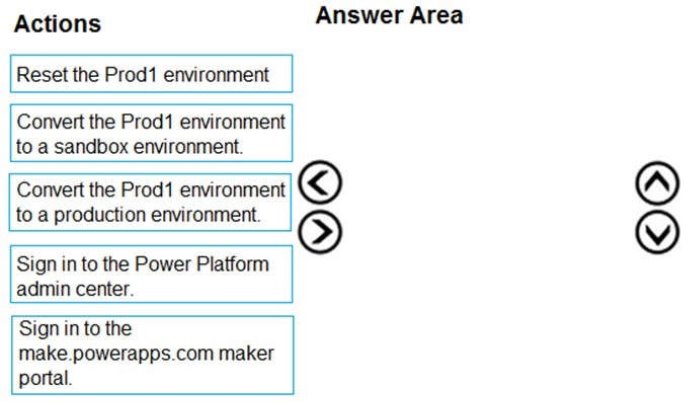
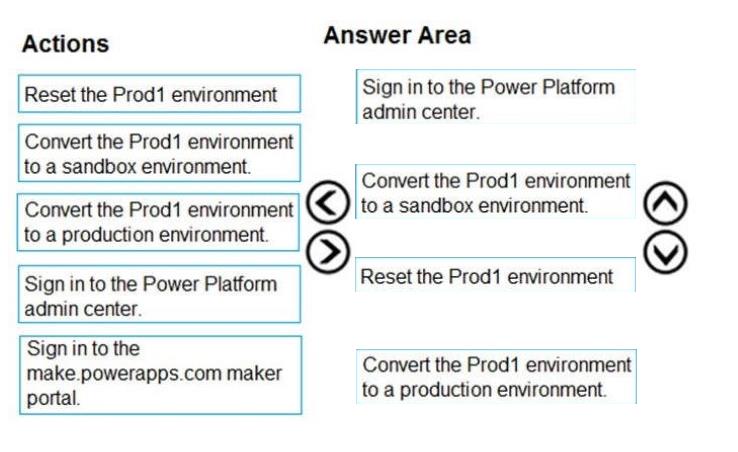
You need to reset the Prod1 environment in preparation for the production deployment of App1.
Which four actions should you perform in sequence? To answer, move the appropriate actions from the list of actions to the answer area and arrange them in the correct order.
You have several Microsoft SharePoint document libraries in your on-premises environment.
You have a Microsoft 365 tenant that has directory synchronization implemented.
You plan to move all the document libraries to SharePoint Online.
You need to recommend a migration strategy for the document libraries.
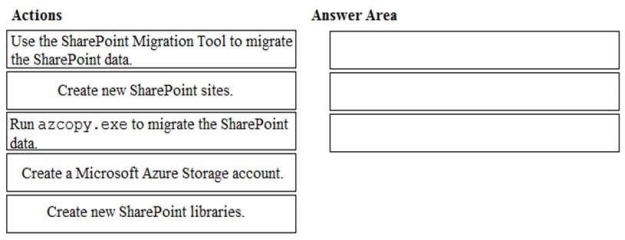
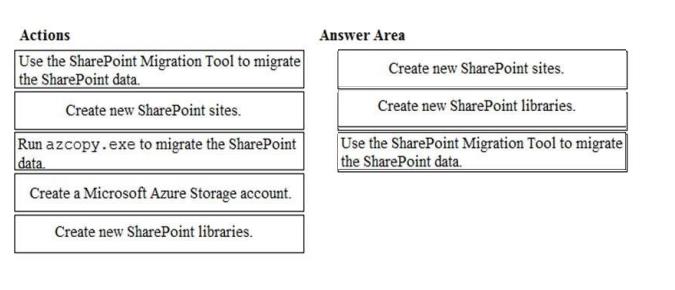
Which three actions should you recommend be performed in sequence? To answer, move the appropriate actions from the list of actions to the answer area and arrange them in the correct order.
Select and Place:
Answer is in the explanation below.
Reference / correct answer:
The SharePoint Migration Tool lets you migrate content to SharePoint Online and OneDrive from the following locations: SharePoint Server 2013
SharePoint Server 2010
Network and local file shares
The first step is to create new SharePoint sites in SharePoint online. These sites will host the document libraries which will host the migrated content. The second step is to create the document libraries in the SharePoint sites to host the migrated content. The final step is to use the SharePoint Migration Tool to migrate the content.
Your company has a Microsoft Azure Active Directory (Azure AD) tenant named contoso.com that includes the users shown in the following table.
Group2 is a member of Group1.
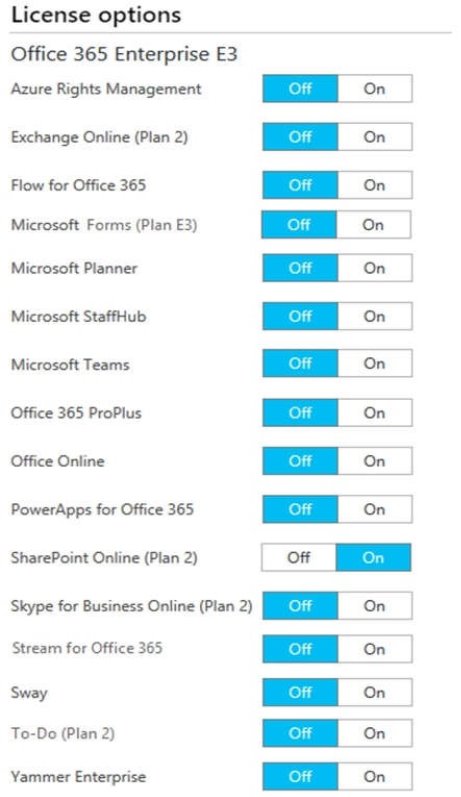
You assign a Microsoft Office 365 Enterprise E3 license to User2 as shown in the User2 Licensing exhibit.
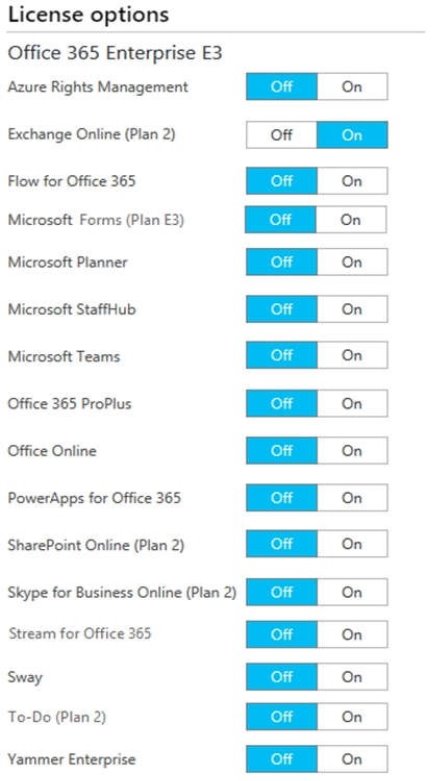
You assign Office 365 Enterprise E3 licenses to Group1 as shown in the Group1 Licensing exhibit.
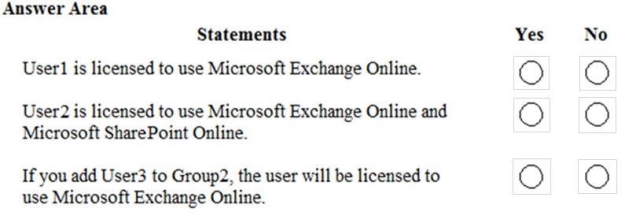
For each of the following statements, select Yes if the statement is true. Otherwise, select No.
NOTE: Each correct selection is worth one point.
Hot Area:
Answer is in the explanation below.
Reference / correct answer:
Group-based licensing currently does not support groups that contain other groups (nested groups). If you apply a license to a nested group, only the immediate first-level user members of the group have the licenses applied.
Therefore, the license granted to Group1 will not filter down to Group2.
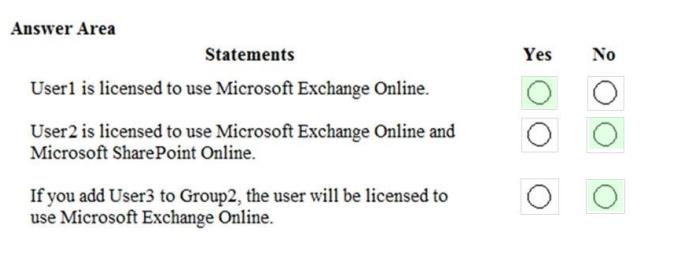
Box 1: Yes.
User1 is in Group1 which has been assigned a license to use Exchange Online.
Box 2: No
User2 has been assigned a license to use SharePoint online. However, the license to use Exchange Online does not apply to User2.
Box 3: No
The license to use Exchange Online is granted to Group1. However, the license granted to Group1 will not filter down to Group2. Therefore, User3 will not be licensed to use Exchange Online.
 SharePoint Server 2013