MB-400 Microsoft Power Apps + Dynamics 365 Developer

Loading demo links...

Showing 4–6 of 10 questions

Question 4 (Mixed Questions)

HOTSPOT

You have the following JavaScript function: (Line numbers are included for reference only.)
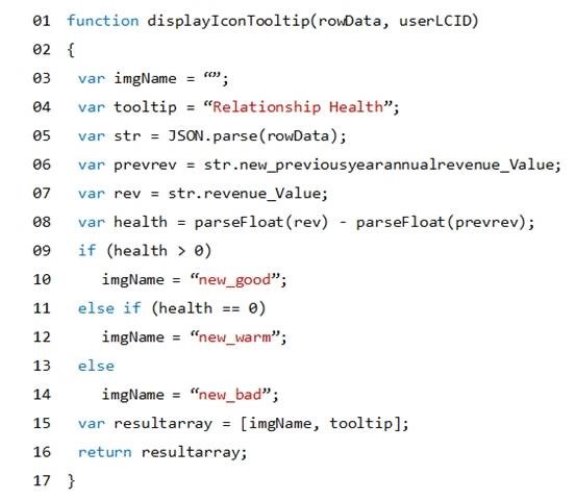
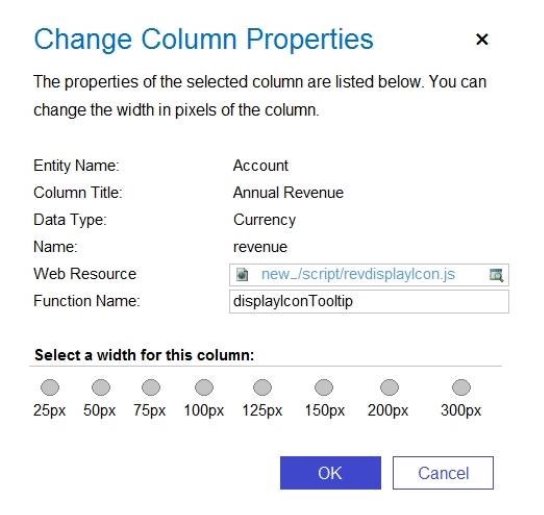
The Annual Revenue view column is configured to call the function as shown in the Column Properties exhibit. (Click the Change Column Properties tab.)
Users report that the icons that appear in the Active Account view are incorrect, as shown in the Active Accounts View exhibit. (Click the Active Accounts View tab.)
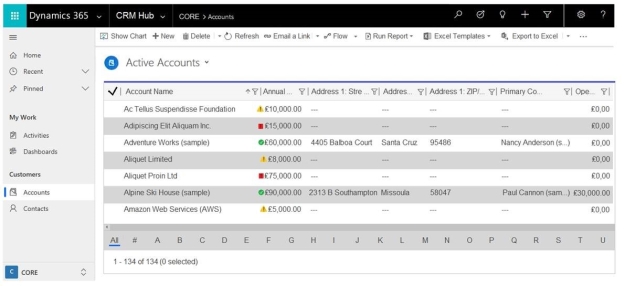
You need to determine why the incorrect icons are being displayed.

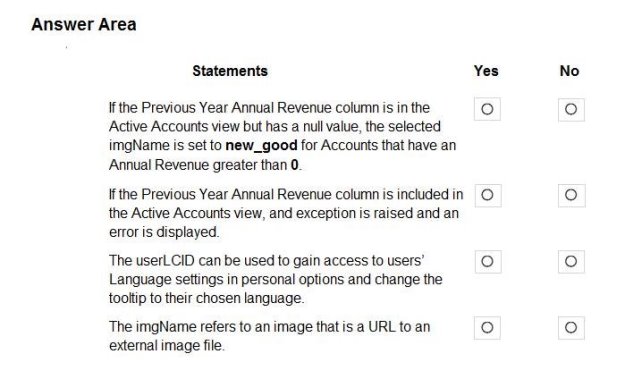
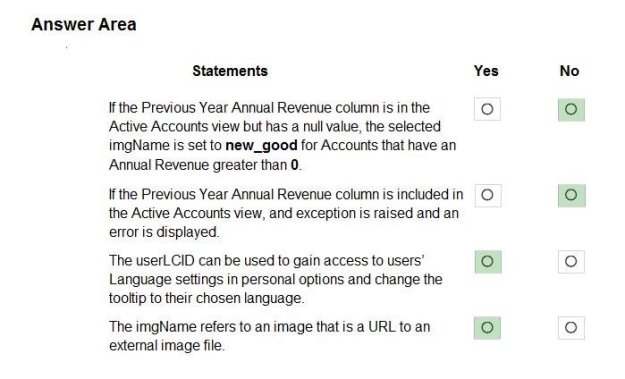
For each of the following statements, select Yes if the statement is true. Otherwise, select No.

Hot Area:
Answer is in the explanation below.
Question 5 (Mixed Questions)

You need to replace the bicycle inspection forms.

Which two solutions should you use? Each correct answer presents part of the solution.

NOTE: Each correct selection is worth one point.

Select all that apply, then click Submit answer.

  • a canvas app that guides the technician through the inspection

  • a logic app that guides the technician through the inspection

  • a flow that maps inspection data to Dynamics 365 for Field Service

  • a model-driven app based on customer service entities

Question 6 (Mixed Questions)

A financial services company uses the Common Data Service (CDS) to develop solutions. The company uses development and production instances.

You need to move solutions from the development instance to the production instance.

What are two possible ways to achieve this goal? Each correct answer presents a complete solution.

NOTE: Each correct selection is worth one point.

Select all that apply, then click Submit answer.

  • Export all managed solutions from the development instance and import the solutions into the production instance.

  • In the development instance, make changes to the solutions that are deployed in the production instance, export the solutions as managed solutions, and import the managed solutions into the production instance.

  • In the production instance, import solutions with the same version number or higher when updating solutions.

  • In the development instance, highlight the solution you want to make changes to, select Clone a Path, make changes, export the solution, and import the solution into the production instance.