You have a Power Bl dataset. The dataset contains data that is updated frequently.
You need to improve the performance of the dataset by using incremental refreshes.
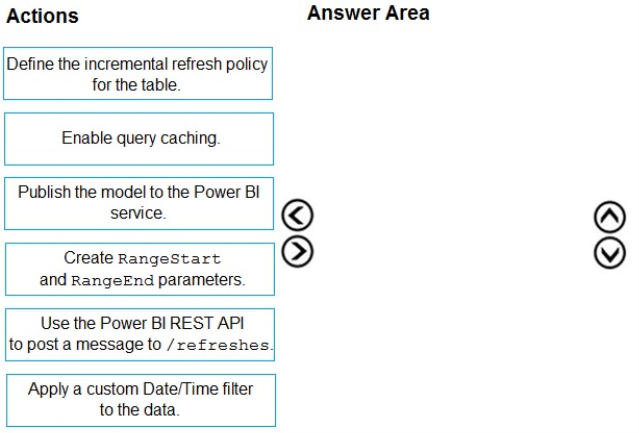
Which four actions should you perform in sequence to enable the incremental refreshes? To answer, move the appropriate actions from the list of actions to the answer area and arrange them in the correct order.
Answer is in the explanation below.
Reference / correct answer:
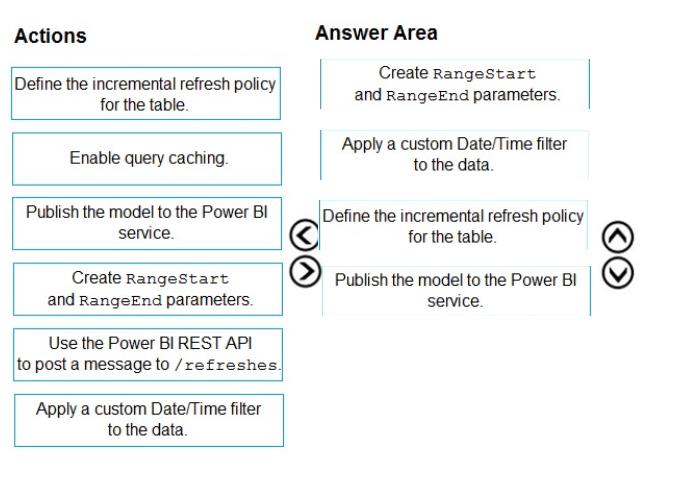
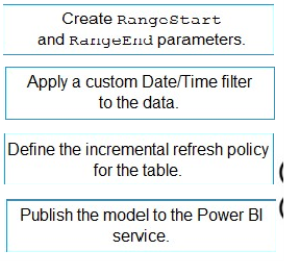
Step 1: Create RangeStart and RangeEnd parameters.
Create parameters
In this task, use Power Query Editor to create RangeStart and RangeEnd parameters with default values. The default values apply only when filtering the data to be loaded into the model in Power BI Desktop. The values you enter should include only a small amount of the most recent data from your data source. When published to the service, these values are overridden by the incremental refresh policy.
Step 2: Apply a custom Date/Time filter to the data.
Filter data
With RangeStart and RangeEnd parameters defined, apply a filter based on conditions in the RangeStart and RangeEnd parameters.
Before continuing with this task, verify your source table has a date column of Date/Time data type.
Step 3: Define the incremental refresh policy for the table.
Define policy
After you've defined RangeStart and RangeEnd parameters, and filtered data based on those parameters, you define an incremental refresh policy. The policy is applied only after the model is published to the service and a manual or scheduled refresh operation is performed.
Step 4: Publish the model to the Power BI service.
Save and publish to the service
When your RangeStart and RangeEnd parameters, filtering, and refresh policy settings are complete, be sure to save your model, and then publish to the service.
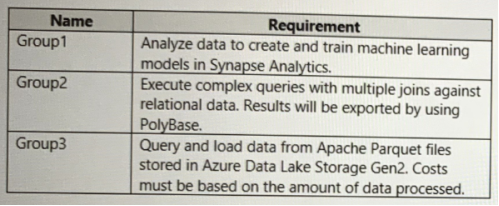
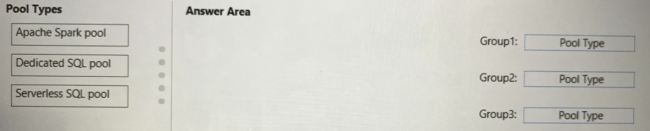
You are configuring Azure Synapse Analytics pools to support the Azure Active Directory groups shown in the following table.
Which type of pool should each group use? To answer, drag the appropriate pool types to the groups. Each pool type may be used once, more than once, or not at all. You may need to drag the split bar between panes or scroll to view content.
NOTE: Each correct selection is worth one point.
Answer is in the explanation below.
Reference / correct answer:
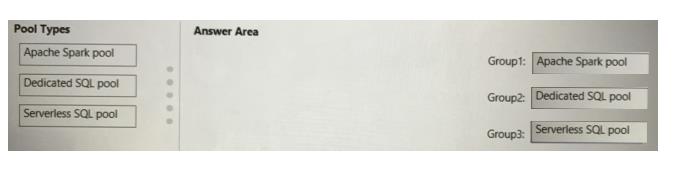
Box 1: Apache Spark pool
An Apache Spark pool provides open-source big data compute capabilities. After you've created an Apache Spark pool in your Synapse workspace, data can be loaded, modeled, processed, and distributed for faster analytic insight.
Box 2: Dedicated SQL Pool
Dedicated SQL Pool - Data is stored in relational tables
Box 3: Serverless SQL pool
Serverless SQL pool - Cost is incurred for the data processed per query
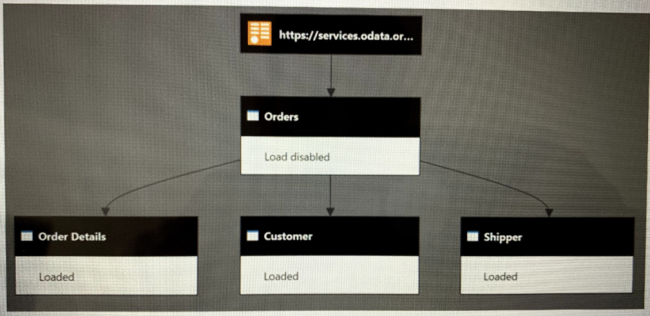
You have a Power Bl dataset that has the query dependencies shown in the following exhibit.
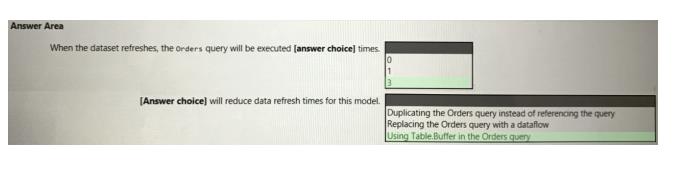
Use the drop-down menus to select the answer choice that completes each statement based on the information presented in the graphic.
NOTE: Each correct selection is worth one point.
Answer is in the explanation below.
Reference / correct answer:
Box 1: 3
Power Query doesn't start at the first query and work down, it starts at the bottom (last) query and works backwards, so 3 tables from 1 will cause it to process that first source table 3 times.
Box 2: Using Table.Buffer in the Orders query
Table.Buffer buffers a table in memory, isolating it from external changes during evaluation. Buffering is shallow. It forces the evaluation of any scalar cell values, but leaves non-scalar values (records, lists, tables, and so on) as-is.
Note that using this function might or might not make your queries run faster. In some cases, it can make your queries run more slowly due to the added cost of reading all the data and storing it in memory, as well as the fact that buffering prevents downstream folding.
Example 1
Load all the rows of a SQL table into memory, so that any downstream operations will no longer be able to query the SQL server.