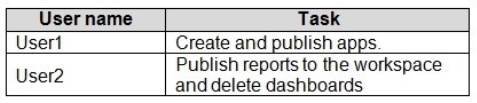
You need to grant the user capabilities shown in the following table.
The solution must use the principle of least privilege.
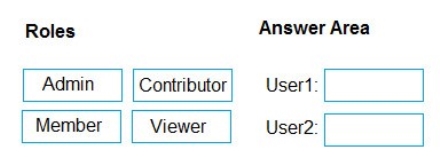
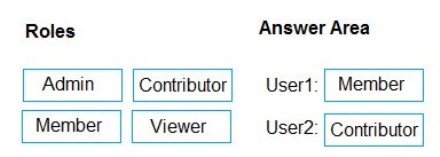
Which user role should you assign to each user? To answer, drag the appropriate roles to the correct users. Each role may be used once, more than once, or not at all. You may need to drag the split bar between panes or scroll to view content.
NOTE: Each correct selection is worth one point.
Select and Place:
Answer is in the explanation below.
Reference / correct answer:
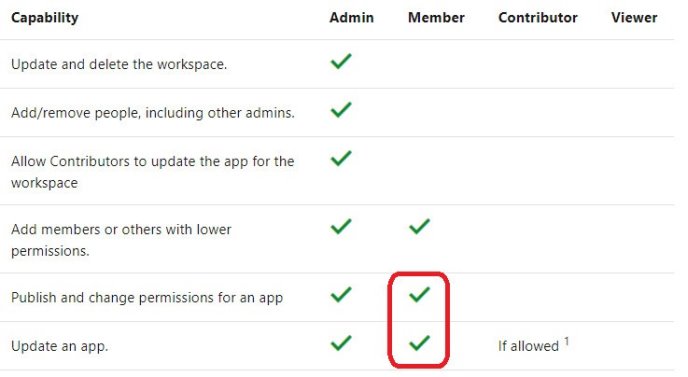
Box 1: Member
Incorrect Answers:
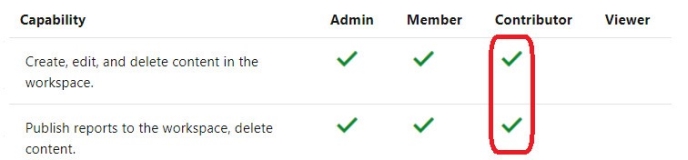
Contributors can update the app metadata but not publish a new app or change who has permission to the app. Box 2: Contributor
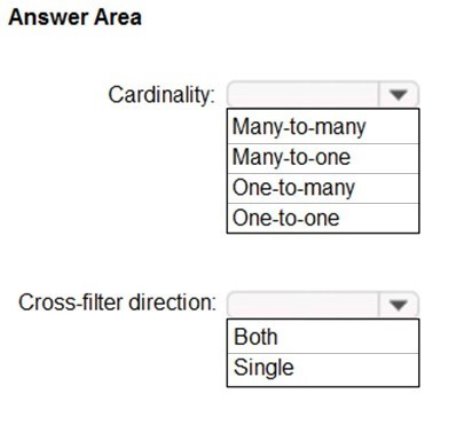
You have two tables named Customers and Invoice in a Power BI model. The Customers table contains the following fields:
CustomerID
Customer City
Customer State
Customer Name
Customer Address 1
Customer Address 2
Customer Postal Code
The Invoice table contains the following fields:
Order ID
Invoice ID
Invoice Date
Customer ID
Total Amount
Total Item Count
The Customers table is related to the Invoice table through the Customer ID columns. A customer can have many invoices within one month.
The Power BI model must provide the following information:
The number of customers invoiced in each state last month
The average invoice amount per customer in each postal code
You need to define the relationship from the Customers table to the Invoice table. The solution must optimize query performance.
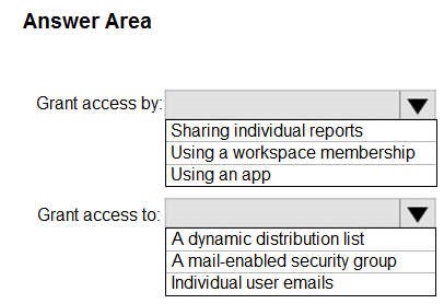
What should you configure? To answer, select the appropriate options in the answer area.
NOTE: Each correct selection is worth one point.
Hot Area:
Answer is in the explanation below.
Reference / correct answer:
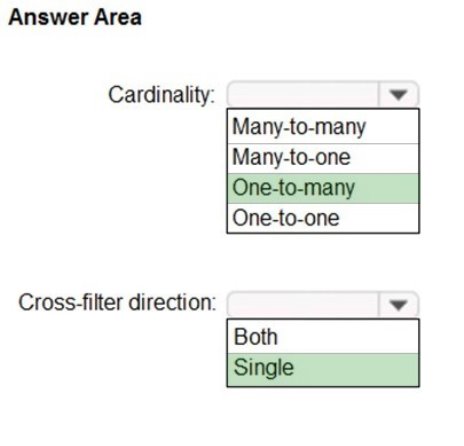
Box 1: One-to-many
A customer can have many invoices within one month.
Box 2: Single
For One-to-many relationships, the cross filter direction is always from the "one" side, and optionally from the "many" side (bi-directional). For
Single cross filter direction means "single direction", and Both means "both directions". A relationship that filters in both directions is commonly described as bi-directional.
Reference: https://docs.microsoft.com/en-us/power-bi/transform-model/desktop-relationships-understand Visualize the Data
Limited Time Offer – Save Now!
Don’t miss out — get full access at the best price.
 CustomerID
 Customer ID