Your company is creating a new camera security system that will use Azure IoT Hub.
You plan to use an Azure IoT Edge device that will run Ubuntu Server 18.04.
You need to configure the IoT Edge device.
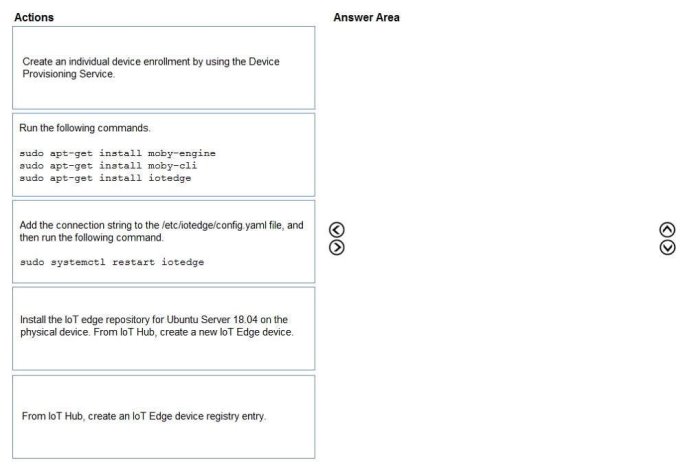
Which three actions should you perform in sequence? To answer, move the appropriate actions from the list of actions to the answer area and arrange them in the correct order.
Select and Place:
Answer is in the explanation below.
Reference / correct answer:
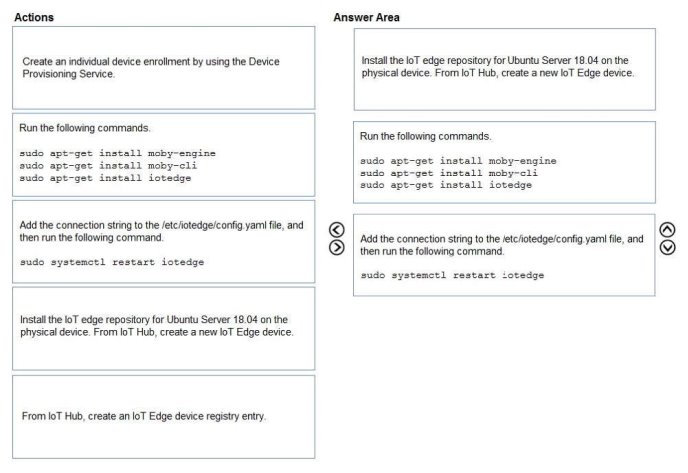
Step1: Install the IoT edge repository for Ubuntu Server 18.04 on the physical device. From IoT hub, create a new IoT Edge device.
Prepare your device to access the Microsoft installation packages.
Install the repository configuration that matches your device operating system.
Ubuntu Server 18.04: curl https://packages.microsoft.com/config/ubuntu/18.04/multiarch/prod.list > ./microsoft-prod.list
In your IoT Hub in the Azure portal, IoT Edge devices are created and managed separately from IOT devices that are not edge enabled.
1. Sign in to the Azure portal and navigate to your IoT hub.
2. In the left pane, select IoT Edge from the menu.
3. Select Add an IoT Edge device.
4. Provide a descriptive device ID. Use the default settings to auto-generate authentication keys and connect the new device to your hub.
5. Select Save.
Step 2: Run the following commands… Install the container runtime.
Azure IoT Edge relies on an OCI-compatible container runtime. For production scenarios, we recommended that you use the Moby-based engine provided below. The Moby engine is the only container engine officially supported with Azure IoT Edge. Docker CE/EE container images are compatible with the Moby runtime.
Install the Moby engine. sudo apt-get install moby-engine
Install the Moby command-line interface (CLI). The CLI is useful for development but optional for production deployments. sudo apt-get install moby-cli
Install the security daemon. The package is installed at /etc/iotedge/.
sudo apt-get install iotedge
Step 3: Add the connection string to the /etc/iotedge/config.yaml file,..
To manually provision a device, you need to provide it with a device connection string that you can create by registering a new device in your IoT hub.
Open the configuration file. sudo nano /etc/iotedge/config.yaml
Find the provisioning configurations of the file and uncomment the Manual provisioning configuration section. Update the value of device_connection_string with the connection string from your IoT Edge device. Save and close the file.
After entering the provisioning information in the configuration file, restart the daemon: sudo systemctl restart iotedge
You have an Azure subscription that contains an Azure loT hub and 100 loT devices.
The devices connect to the loT hub by using the Advanced Message Queuing Protocol (AMQP) protocol and authenticate to the loT hub by using symmetric keys.
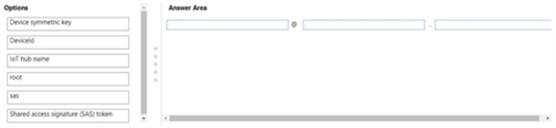
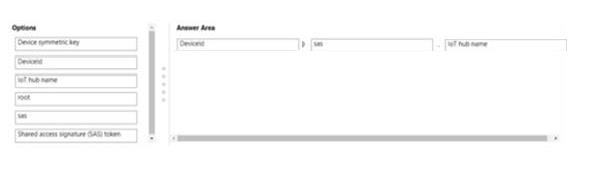
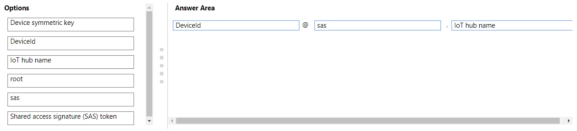
You need to configure the SASL PLAIN username for the AMQP connection.
How should you configure the username? To answer, drag the appropriate options to the correct targets. Each option may be used once, more than once, or not at all. You may need to drag the split bar between panes or scroll to view content.
NOTE: Each correct selection is worth one point.
Answer is in the explanation below.
Reference / correct answer:
Question 3(New Update)
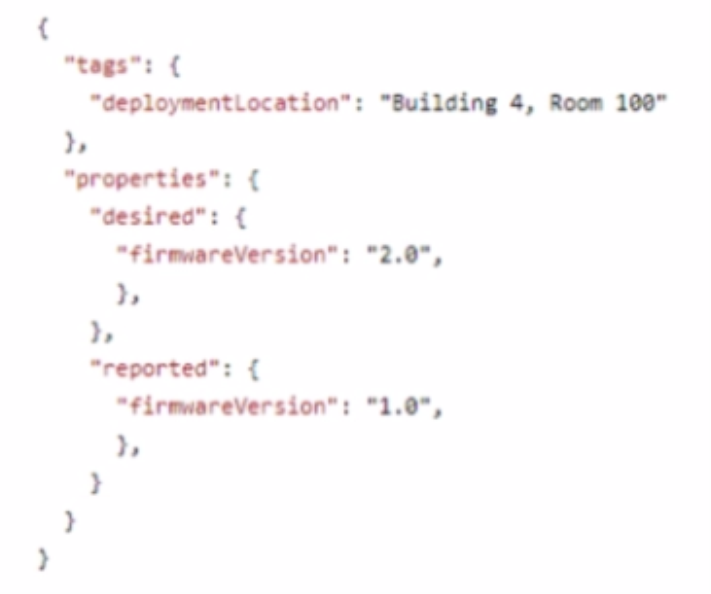
You have an Azure IoT solution that includes an Azure IoT hub and 50 IoT devices. The device twins have the following structure.
You need to configure message enrichments to add the following values to messages:
• The device deployment location
• The device firmware version
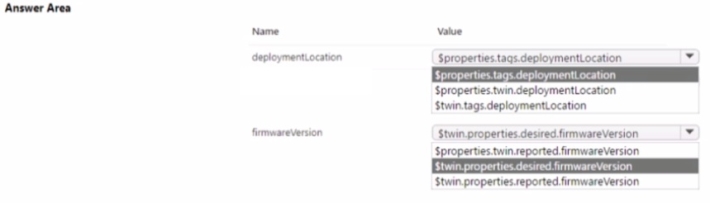
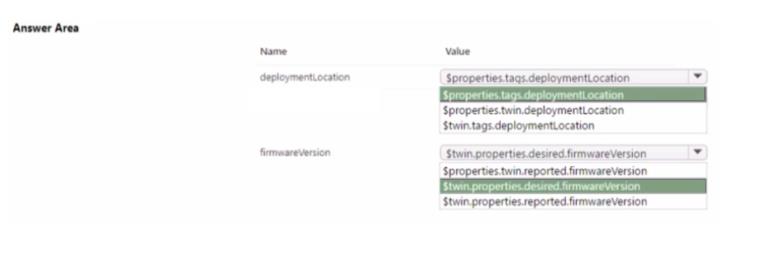
How should you configure the message enrichments? To answer, select the appropriate options in the answer area.
NOTE: Each correct selection is worth one point.
Answer is in the explanation below.
Reference / correct answer:
Limited Time Offer – Save Now!
Don’t miss out — get full access at the best price.