70-779 Analyzing and Visualizing Data with Microsoft Excel

Loading demo links...

Showing 1–3 of 8 questions

Question 1

DRAG DROP

You have a workbook query that retrieves data from a table named Users. Users contains a column named PhoneNumber. The following is a sample of the data in PhoneNumber.

514 555 0160

1 (11) 500 555-0122

128 555-0148

819 555-0186

1-996-555-0192

+1 138-555-0156

556-555-0192

You need to create a custom column that contains the data in PhoneNumber in the format of 999-999-9999. The following is a sample of the desired data.

514-555-0160

500-555-0122

128-555-0148

819-555-0186

996-555-0192

138-555-0156

556-555-0192

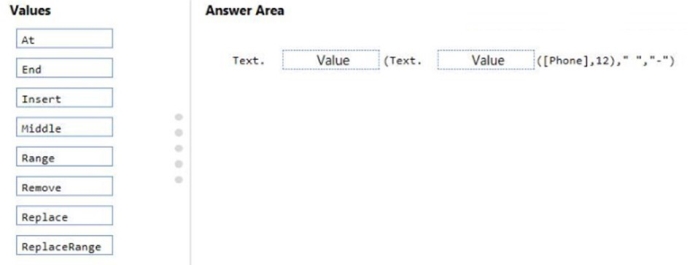
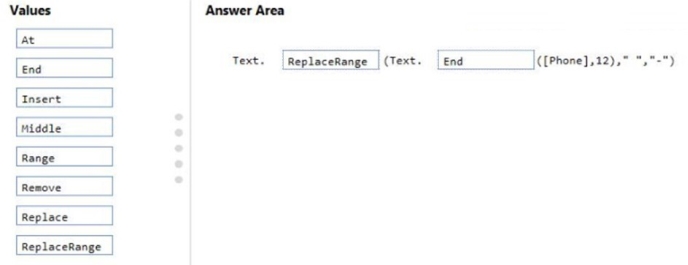
How should you complete the Query Editor formula? To answer, drag the appropriate values to the correct targets. Each value may be used once, more than once, or not at all. You may need to drag the split bar between panes or scroll to view content.

NOTE: Each correct selection is worth one point.

Select and Place:
Answer is in the explanation below.
Question 2

DRAG DROP

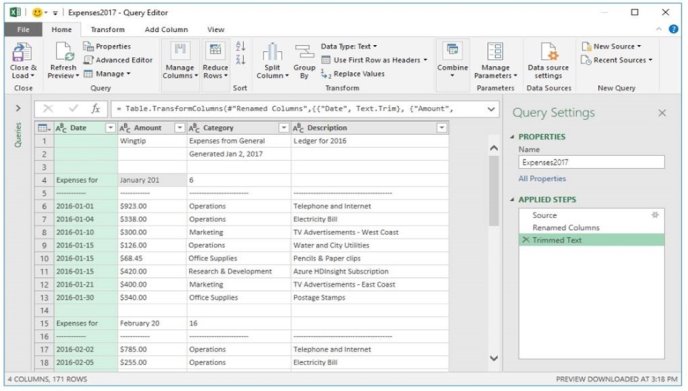
You have a query as shown in the following exhibit.

You need to ensure that the data only contains rows that have a valid date.

Which three actions should you perform in sequence? To answer, move the appropriate actions from the list of actions to the answer area and arrange them in the correct order.

Select and Place:

Answer is in the explanation below.
Question 3

HOTSPOT

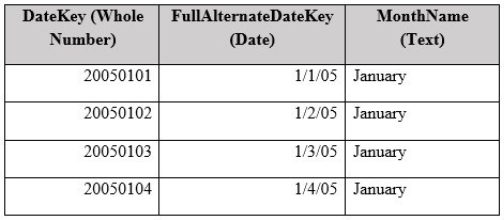
You have a table named Date that contains the following data.

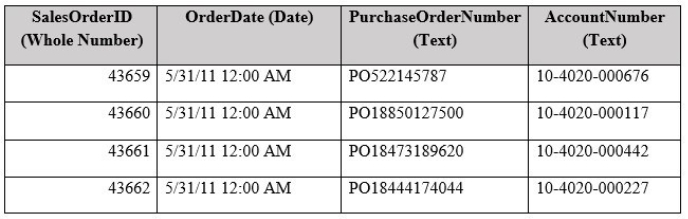
You have a table named Sales that contains the following data.

You plan to create a PivotCharts that will be sliced by MonthName.

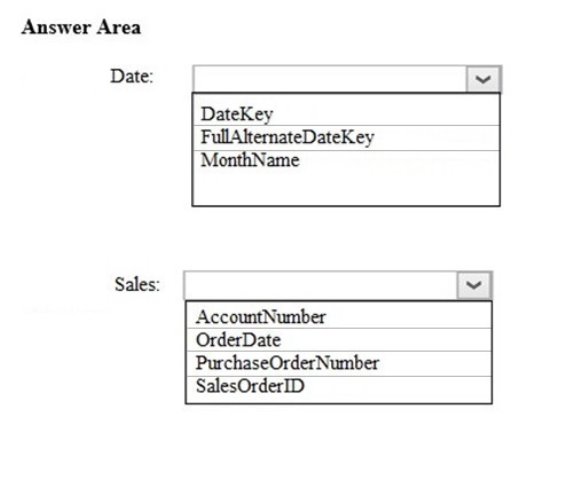
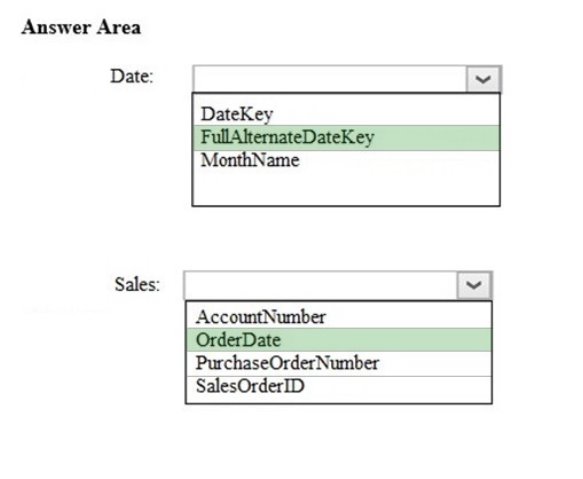
You need to create a relationship between Sales and Date.

Which columns should you use to create the relationship? To answer, select the appropriate options in the answer area.

NOTE: Each correct selection is worth one point.

Hot Area:

Answer is in the explanation below.