70-778 Analyzing and Visualizing Data with Microsoft Power BI

Loading demo links...

Showing 1–3 of 10 questions

Question 1

DRAG DROP

You create a new app workspace. You add a user named User1 as a member of the workspace. User1 can edit content.

You plan to create a report in an app workspace that uses data from a Microsoft Azure SQL database.

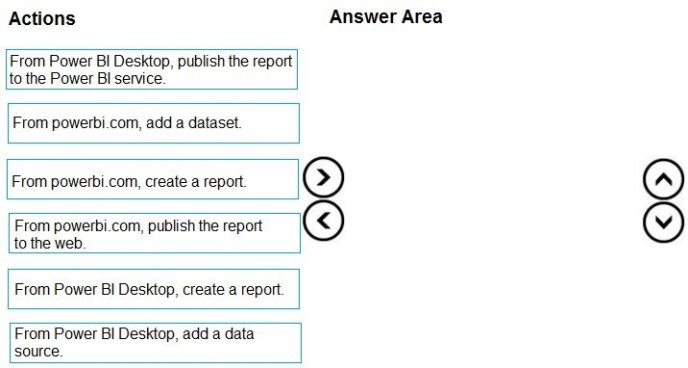
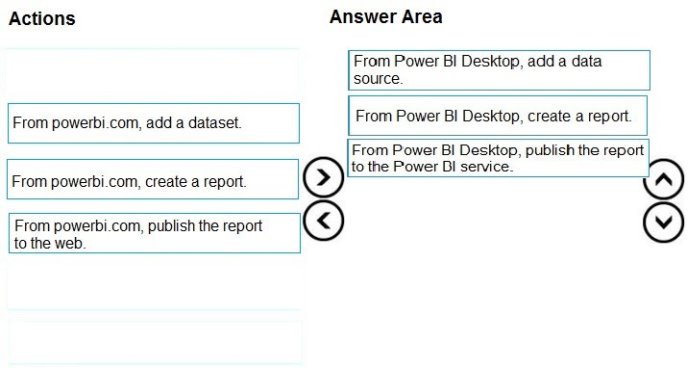
You need to create the report. The solution must ensure that User1 can edit the report from Power BI Desktop and from powerbi.com.

Which three actions should you perform in sequence? To answer, move the appropriate action from the list of actions to the answer area and arrange them in the correct order.

Select and Place:
Answer is in the explanation below.
Question 2

DRAG DROP

You have a Power BI model that contains a table named Sales. Sales has the following three measures:

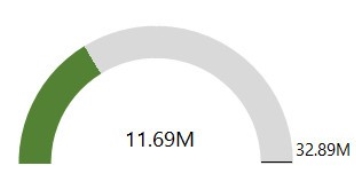
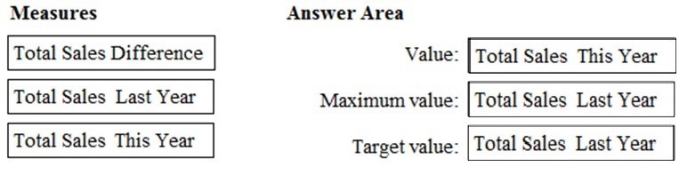
A measure named Total Sales Last Year that displays the sales from the previous calendar year. The current value is 32.89 million.

A measure named Total Sales This Year that displays the sales from the current calendar year. The current value is 11.69 million.

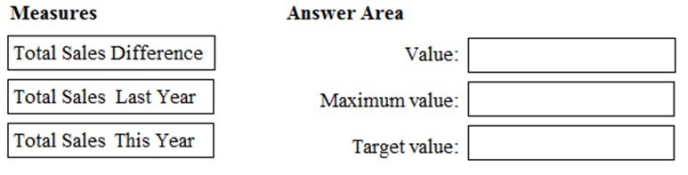
A measure named Total Sales Difference that uses a DAX formula of Sales[Last Year] – Sales[This Year].

You need to create the following visualization.

How should you configure the visualization? To answer, drag the appropriate measures to the correct fields. Each value may be used once, more than once, or not at all. You may need to drag the split bar between panes or scroll to view content.

NOTE: Each correct selection is worth one point.

Select and Place:

Answer is in the explanation below.

Question 3

HOTSPOT

You have a query that retrieves data from a Microsoft Azure SQL database.

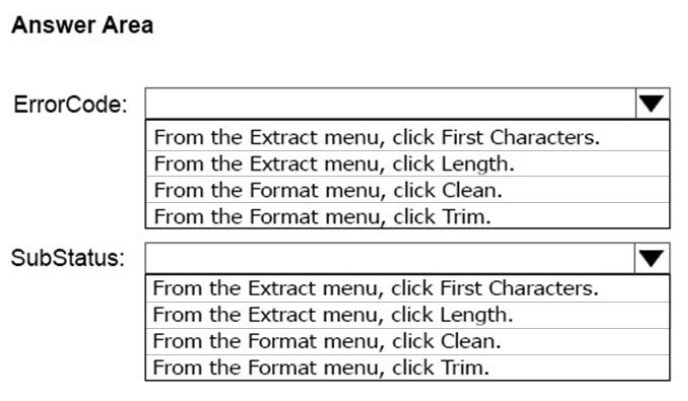
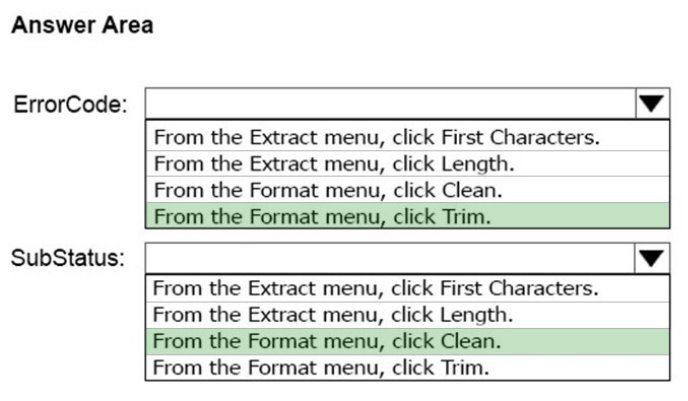
You discover that a column named ErrorCode has several values starting with a space character, and a column named SubStatus contains several non-printable characters.

You need to remove all the leading whitespaces from ErrorCode and all the non-printable characters from SubStatus. All other data must be retained.

What should you do on each column? To answer, select the appropriate options in the answer area.

NOTE: Each correct selection is worth one point.

Hot Area:

Answer is in the explanation below.