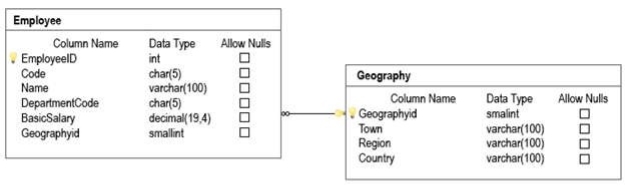
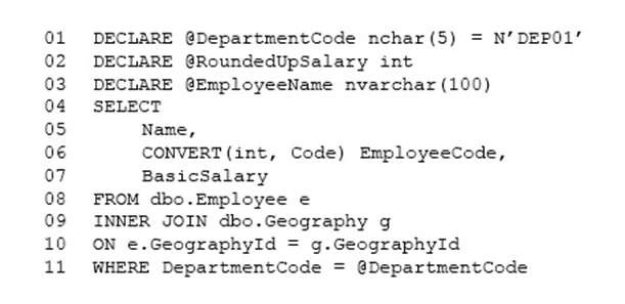
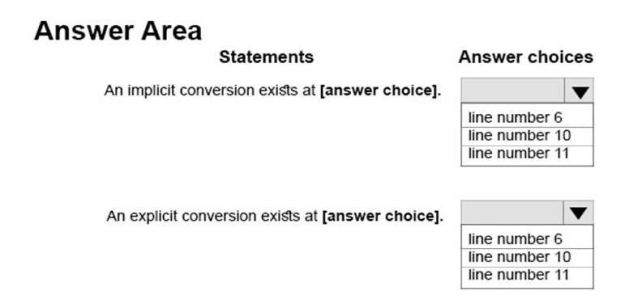
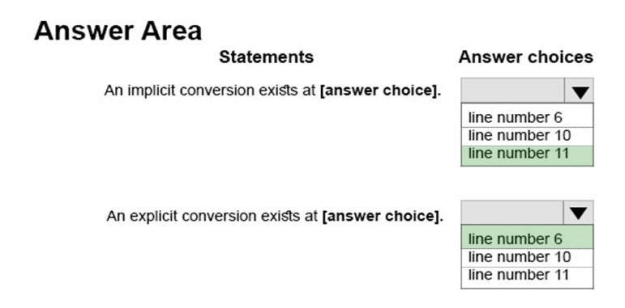
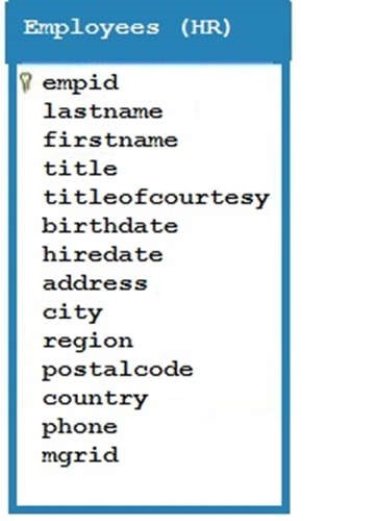
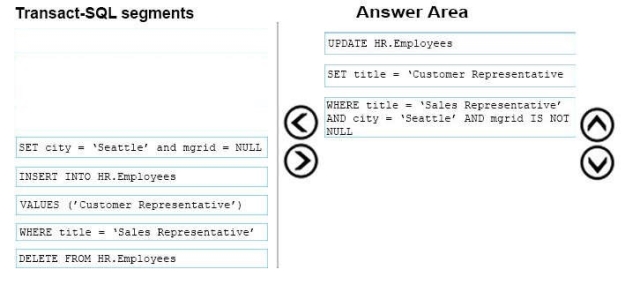
You have a table named HR.Employees as shown in the exhibit. (Click the exhibit button.)
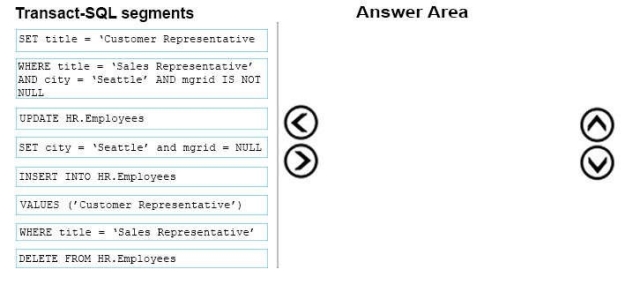
You need to write a query that will change the value of the job title column to Customer Representative for any employee who lives in Seattle and has a job title of Sales Representative. If the employee does not have a manager defined, you must not change the title.
Which three Transact-SQL segments should you use to develop the solution? To answer, move the appropriate Transact-SQL segments from the list of Transact-SQL segments to the answer area and arrange them in the correct order.
Note: This question is part of a series of questions that use the same scenario. For your convenience, the scenario is repeated in each question. Each question presents a different goal and answer choices, but the text of the scenario is exactly the same in each question in this series.
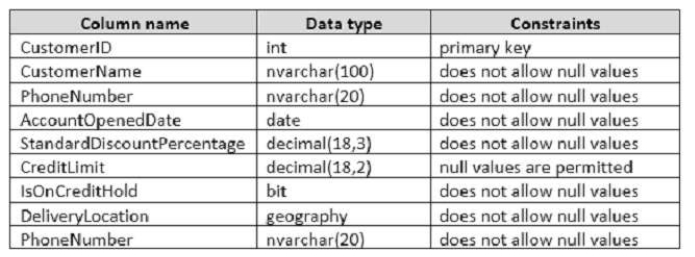
You are developing a database to track customer orders. The database contains the following tables: Sales.Customers, Sales.Orders, and Sales.OrderLines. The following table describes the columns in Sales.Customers.
The following table describes the columns in Sales.Orders.
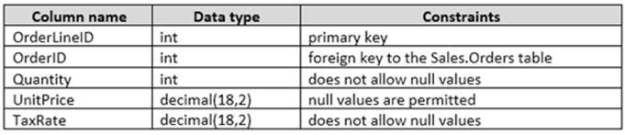
The following table describes the columns in Sales.OrderLines.
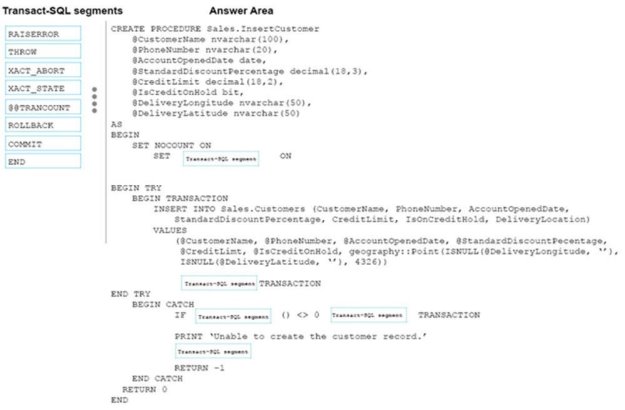
You need to create a stored procedure that inserts data into the Customers table. The stored procedure must meet the following requirements:
Data changes occur as a single unit of work.
Data modifications that are successful are committed and a value of 0 is returned to the calling procedure.
Data modifications that are unsuccessful are rolled back. You must display a message that uses severity level 16 and a value of -1.
The stored procedure uses a built-in scalar function to evaluate the current condition of data modifications.
The entire unit of work is terminated and rolled back if a run-time error occurs during execution of the stored procedure.
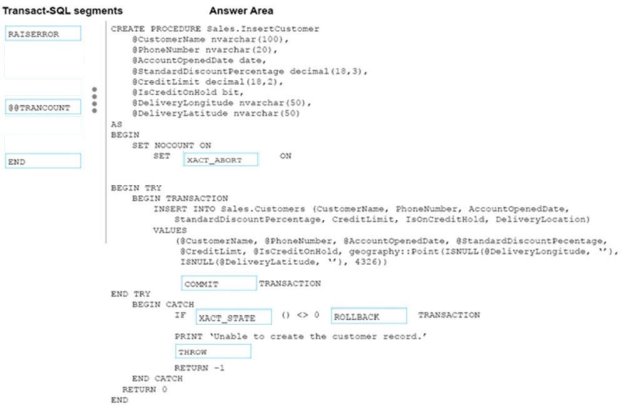
How should complete the stored procedure definition? To answer, drag the appropriate Transact-SQL segments to the correct targets. Each TransactSQL segment may be used once, more than once, or not at all. You may need to drag the split bar between panes or scroll to view content.
NOTE: Each correct selection is worth one point.
Select and Place:
Answer is in the explanation below.
Reference / correct answer:
Box 1: XACT_ABORT
XACT_ABORT specifies whether SQL Server automatically rolls back the current transaction when a Transact-SQL statement raises a run-time error. When SET XACT_ABORT is ON, if a Transact-SQL statement raises a run-timeerror, the entire transaction is terminated and rolled back.
Box 2: COMMIT
Commit the transaction.
Box 3: XACT_STATE
Box 4: ROLLBACK Rollback the transaction
Box 5: THROW
THROW raises an exception and the severity is set to 16.
Requirement: Data modifications that are unsuccessful are rolled back. The exception severity level is set to 16 and a value of -1 is returned.

 Data changes occur as a single unit of work.