70-742 Identity with Windows Server 2016

Loading demo links...

Showing 1–3 of 15 questions

Question 1 (Implement Identity Federation and Access Solutions)

DRAG DROP

Your network contains an Active Directory domain named contoso.com. All servers run Windows Server 2016.

You have a Microsoft Azure Active Directory (Azure AD) tenant named contoso.com.

You deploy Active Directory Federation Services (AD FS) and a Web Application Proxy to the Active Directory domain.

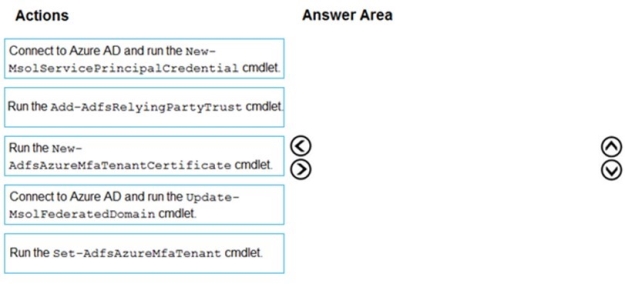
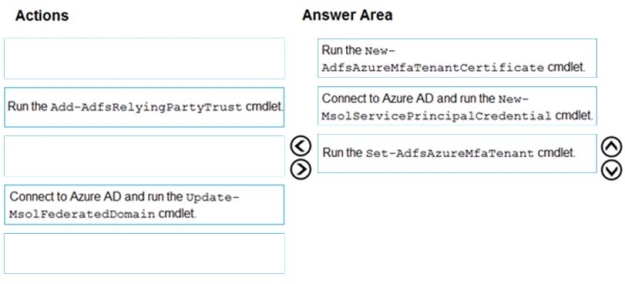
You need to configure the AD FS deployment to support Azure Multi-Factor Authentication (MFA) as the primary authentication method.

Which three actions should you perform in sequence on the AD FS server? To answer, move the appropriate actions from the list of actions to the answer area and arrange them in the correct order.

Select and Place:
Answer is in the explanation below.
Question 2 (Install and Configure Active Directory Domain Services (AD DS))

DRAG DROP

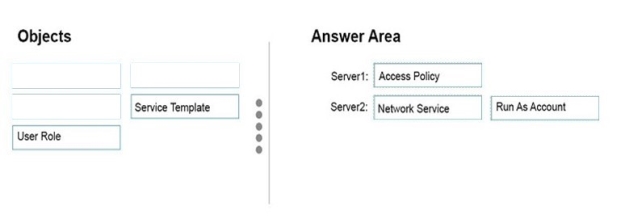
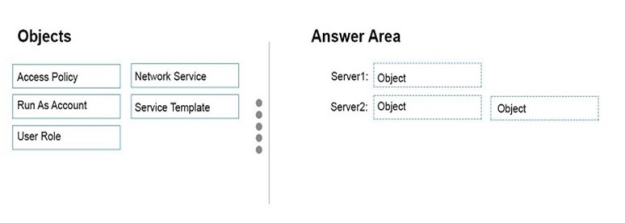
Your network contains an Active Directory domain named contoso.com. The domain contains two servers named Server1 and Server2 that run Windows Server 2016.

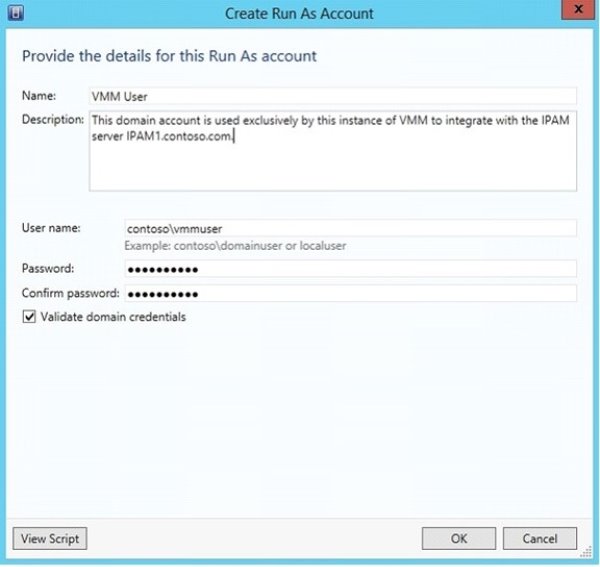
Server1 has IP Address Management (IPAM) installed. Server2 has Microsoft System Center 2016 Virtual Machine Manager (VMM) installed.

You need to integrate IPAM and VMM.

Which types of objects should you create on each server? To answer, drag the appropriate object types to the correct servers. Each object type may be used once, more than once, or not at all. You may need to drag the split bar between panes or scroll to view content.

Select and Place:

Answer is in the explanation below.
Question 3 (Install and Configure Active Directory Domain Services (AD DS))

HOTSPOT

Your network contains an Active Directory domain named contoso.com.

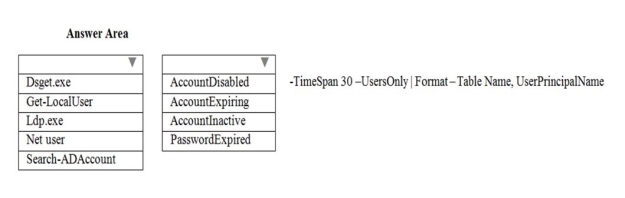
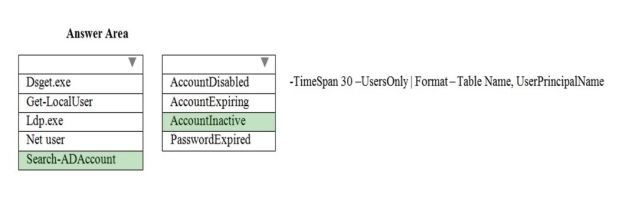
You need to view a list of all the domain user accounts that are enabled, but whose users have not signed in during the last 30 days.

Which command should you run? To answer, select the appropriate options in the answer area.

NOTE: Each correct selection is worth one point.

Hot Area:

Answer is in the explanation below.