You administer a Microsoft SQL Server database. Service accounts for SQL Agent are configured to use a local user.
A Microsoft SQL Server Integration Services (SSIS) job step has been created within a SQL Server Agent job.
The SSIS package accesses a network share when exporting data from a SQL Server database.
When you execute the SQL Server Agent job, it fails due to a permissions failure on a share on a remote server.
You need to ensure that the SQL Server Agent job can execute the SSIS package.
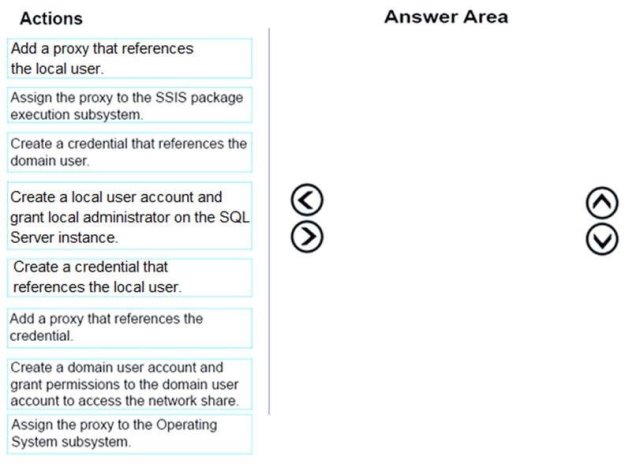
Which four actions should you perform in sequence? (To answer, move the appropriate actions from the list of actions to the answer area and arrange them in the correct order.)
Select and Place:
Answer is in the explanation below.
Reference / correct answer:
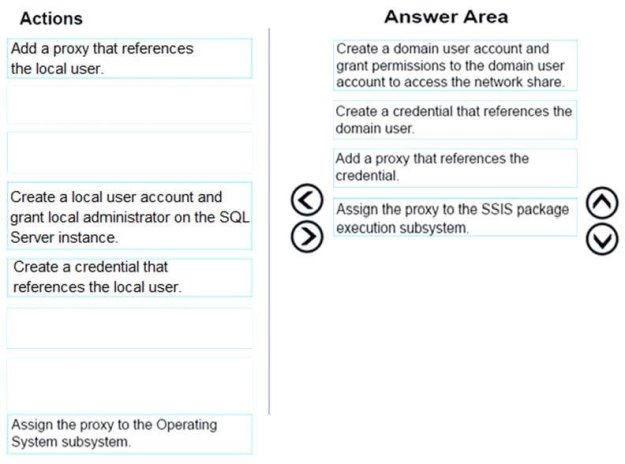
Box 1: Create a domain user account and grant permissions to the domain user account to access the network share To access the network share we need a domain user account, not a local user account.
Box 2: Create a credential that references the domain user
Box 3: Add a proxy that references the credential
Box 4: Assign the proxy to the SSIS package execution subsystem
SQL Server Agent allows creating a proxy account which defines the security context for the job step.
We need to do is to create a credential to be used by the proxy account.
The created proxy need to have access to the SSIS subsystem
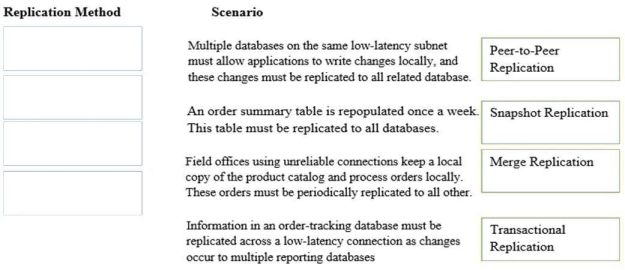
You administer several Microsoft SQL Server servers. Your company has a number of offices across the world connected by using a wide area network (WAN).
Connections between offices vary significantly in both bandwidth and reliability.
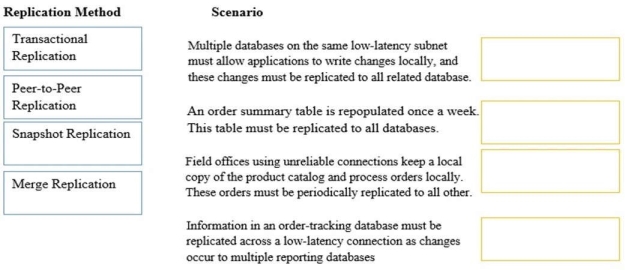
You need to identify the correct replication method for each scenario.
What should you do? (To answer, drag the appropriate replication method or methods to the correct location or locations in the answer area. Each replication method may be used once, more than once, or not at all.)
HOTSPOT You administer a Microsoft SQL Server database.
The database is in the Simple recovery mode.
You schedule the following backup plan:
Full backup every day at midnight
Differential backups every hour on the hour, except at midnight
The database fails at 20:45 hours.
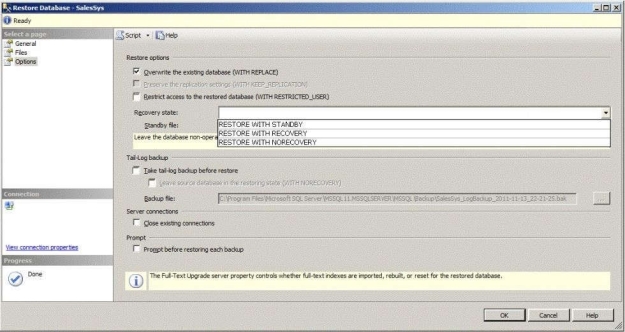
You need to use SQL Server Management Studio (SSMS) to begin restoring the database with a minimum amount of data loss.
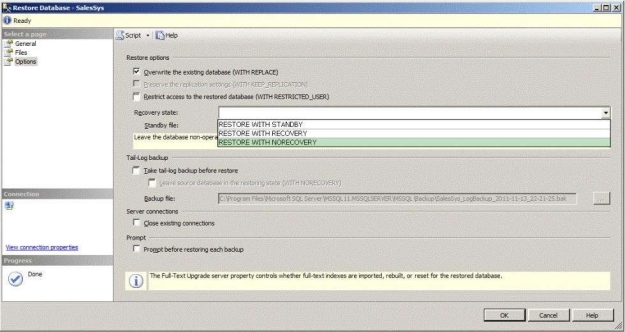
Which options should you select on the Options page of the Restore Database window? (To answer, configure the appropriate option or options in the dialog box in the answer area.)
Hot Area:
Answer is in the explanation below.
Reference / correct answer:
First, restore full database backup, differential database backup and all transaction log backups WITH NORECOVERY Option. After that, bring back database online using WITH RECOVERY option.