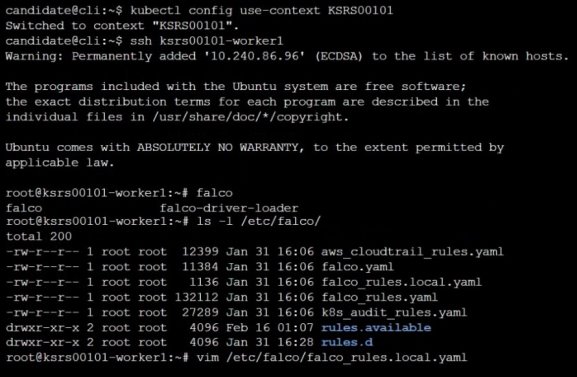
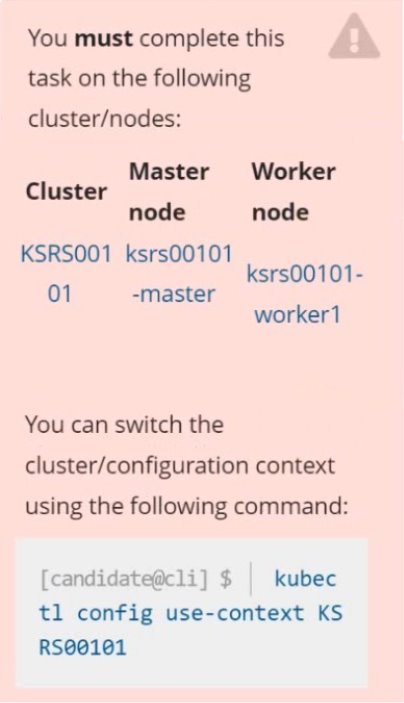
Two tools are pre-installed on the cluster's worker node:
sysdig
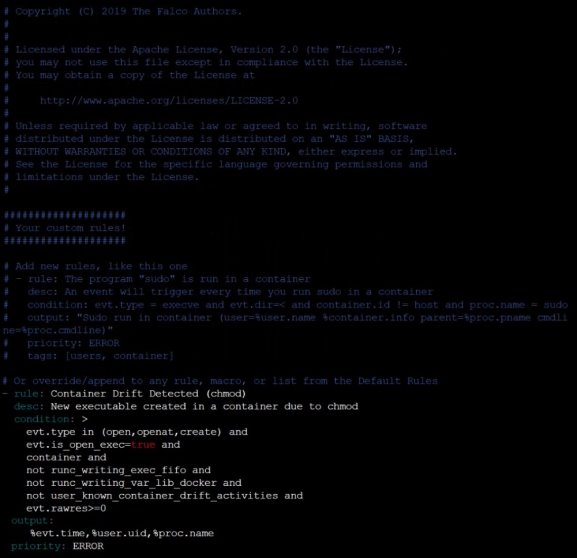
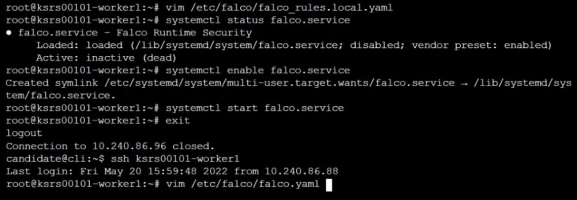
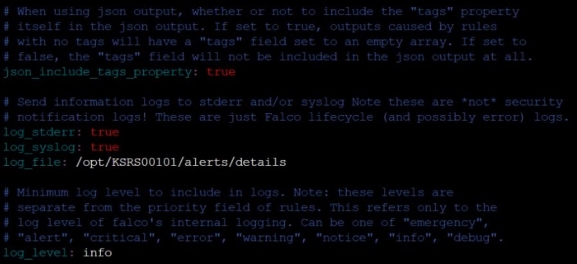
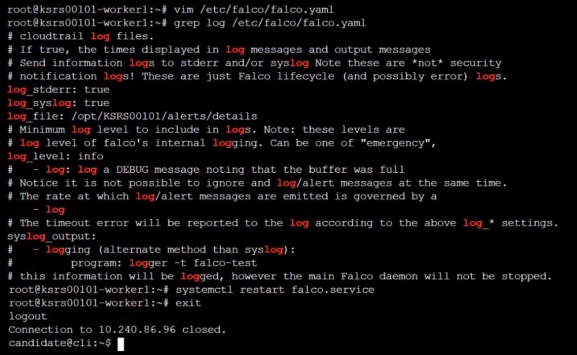
falco
Using the tool of your choice (including any non pre-installed tool), analyze the container's behavior for at least 30 seconds, using filters that detect newly spawning and executing processes.
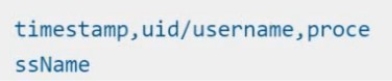
Store an incident file at /opt/KSRS00101/alerts/details, containing the detected incidents, one per line, in the following format:
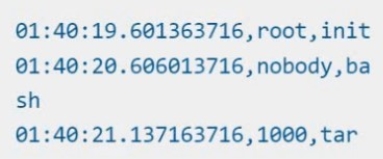
The following example shows a properly formatted incident file:
You can switch the cluster/configuration context using the following command:
[desk@cli] $ kubectl config use-context prod
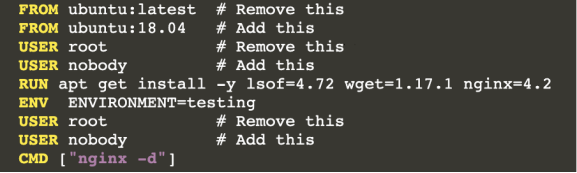
Task:Analyse and edit the given Dockerfile (based on the ubuntu:18:04 image)/home/cert_masters/Dockerfile fixing two instructions present in the file being prominent security/best-practice issues.
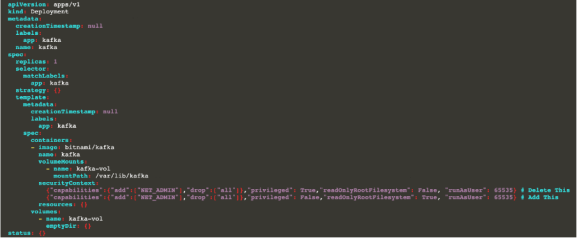
Analyse and edit the given manifest file/home/cert_masters/mydeployment.yaml fixing two fields present in the file being prominent security/best-practice issues.
Note: Don't add or remove configuration settings; only modify the existing configuration settings, so that two configuration settings each are no longer security/best-practice concerns.Should you need an unprivileged user for any of the tasks, use user nobody with user id 65535
Answer is in the explanation below.
Reference / correct answer:
Seetheexplanationbelow
1. For Dockerfile: Fix the image version & user name in Dockerfile2. For mydeployment.yaml : Fix security contexts
Explanation
[desk@cli] $ vim /home/cert_masters/Dockerfile
FROM ubuntu:latest # Remove this
FROM ubuntu:18.04 # Add this
USER root # Remove this
USER nobody # Add this
RUN apt get install -y lsof=4.72 wget=1.17.1 nginx=4.2
ENV ENVIRONMENT=testing
USER root # Remove this
USER nobody # Add this
CMD ["nginx -d"]
[desk@cli] $ vim /home/cert_masters/mydeployment.yaml
apiVersion: apps/v1
kind: Deployment
metadata:
creationTimestamp: null
labels:
app: kafka
name: kafka
spec:
replicas: 1
selector:
matchLabels:
app: kafka
strategy: {}
template:
metadata:
creationTimestamp: null
labels:
app: kafka
spec:
containers:
- image: bitnami/kafka
name: kafka
volumeMounts:
- name: kafka-vol
mountPath: /var/lib/kafka
securityContext:
{"capabilities":{"add":["NET_ADMIN"],"drop":["all"]},"privileged": True,"readOnlyRootFilesystem": False, "runAsUser": 65535} # Delete This
{"capabilities":{"add":["NET_ADMIN"],"drop":["all"]},"privileged": False,"readOnlyRootFilesystem": True, "runAsUser": 65535} # Add This
resources: {}
volumes:
- name: kafka-vol
emptyDir: {}
status: {}
Pictorial View:[desk@cli] $ vim /home/cert_masters/mydeployment.yaml
You can switch the cluster/configuration context using the following command:[desk@cli] $ kubectl config use-context dev
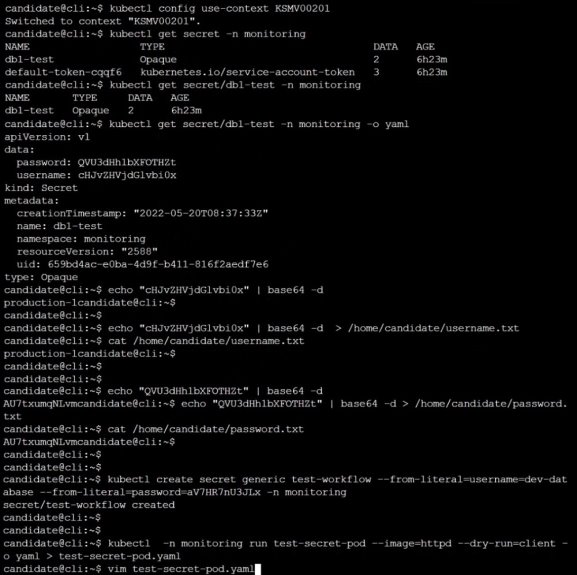
Task:Retrieve the content of the existing secret named adam in the safe namespace.
Store the username field in a file names /home/cert-masters/username.txt, and the password field in a file named /home/cert-masters/password.txt.
1. You must create both files; they don't exist yet.2. Do not use/modify the created files in the following steps, create new temporary files if needed.
Create a new secret names newsecret in the safe namespace, with the following content:Username: dbadminPassword: moresecurepas
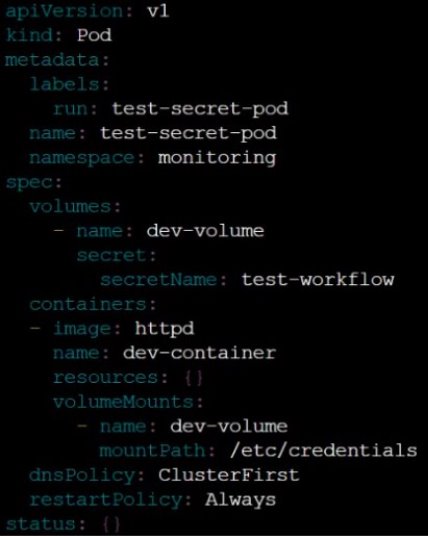
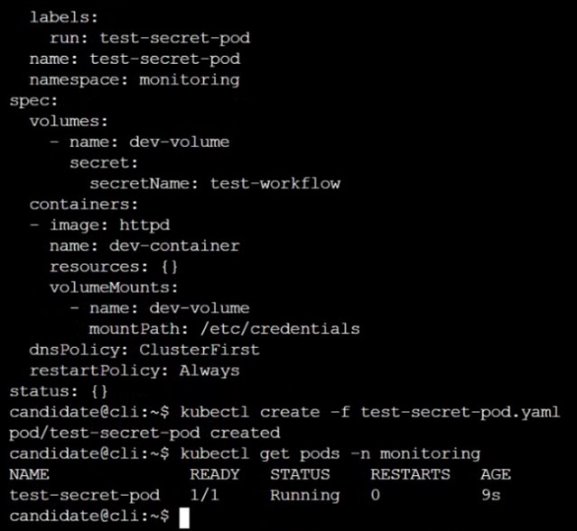
Finally, create a new Pod that has access to the secret newsecret via a volume:
Answer is in the explanation below.
Reference / correct answer:
Seetheexplanationbelow
Limited Time Offer – Save Now!
Don’t miss out — get full access at the best price.
 sysdig