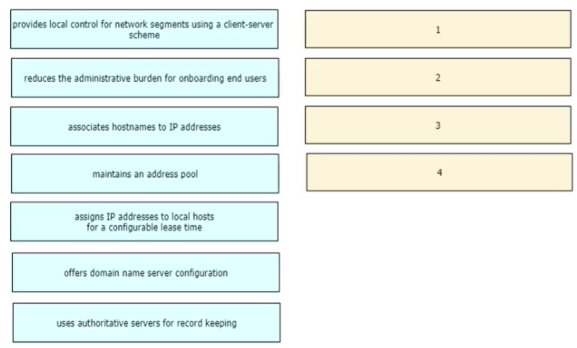
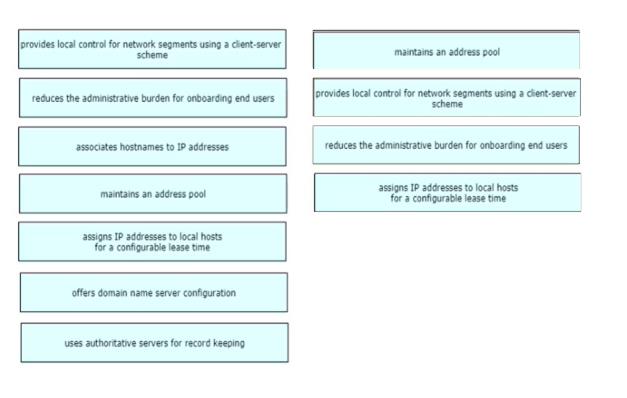
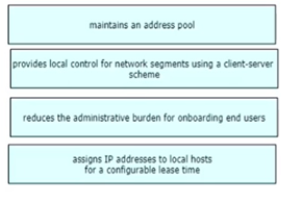
Drag and drop the functions of DHCP from the left onto any of the positions on the right Not all functions are used
Answer is in the explanation below.
Reference / correct answer:
Question 2(IP Connectivity)
DRAG DROP
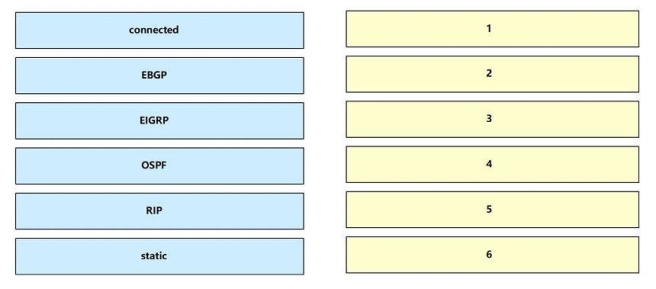
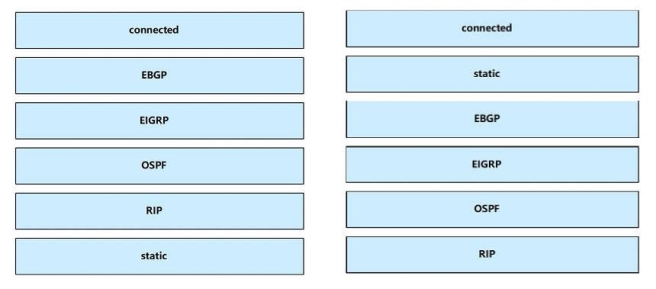
Drag each route source from the left to the numbers on the right. Beginning with the lowest and ending with the highest administrative distance.
Select and Place:
Answer is in the explanation below.
Reference / correct answer:
Question 3(New Update)
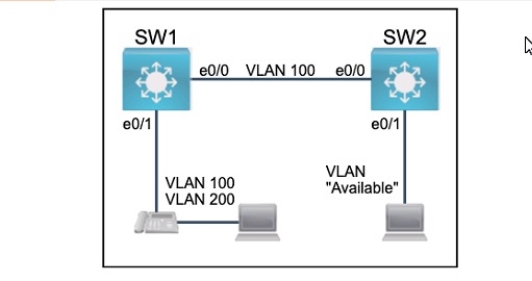
All physical cabling between the two switches is installed. Configure the network connectivity between the switches using the designated VLANs and interfaces.
1. Configure VLAN 100 named Compute and VLAN 200 named Telephony where required for each task.
2. Configure Ethernet0/1 on SW2 to use the existing VLAN named Available.
3. Configure the connection between the switches using access ports.
4. Configure Ethernet0/1 on SW1 using data and voice VLANs.
5. Configure Ethemet0/1 on SW2 so that the Cisco proprietary neighbor discovery protocol is turned off for the designated interface only.
Answer is in the explanation below.
Reference / correct answer:
Seethebelow.
Answer as below configuration:
on sw1
enable
conf t
vlan 100
name Compute
vlan 200
name Telephony
int e0/1
switchport voice vlan 200
switchport access vlan 100
int e0/0
switchport mode access
do wr
on sw2
Vlan 99
Name Available
Int e0/1
Switchport access vlan 99
do wr
Limited Time Offer – Save Now!
Don’t miss out — get full access at the best price.