Question 1
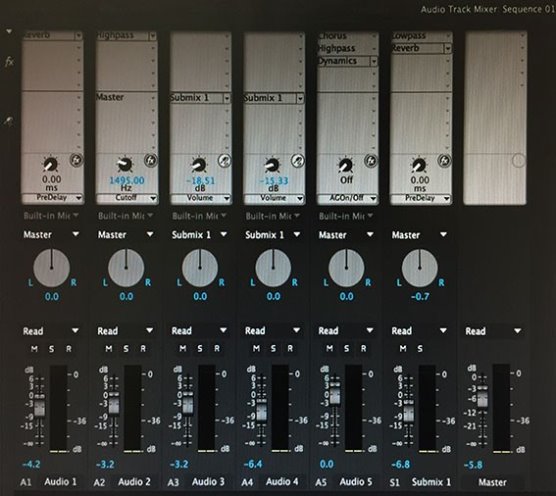
A user has applied an effect to a track in the Audio Track Mixer.
Which two options can be used to open the Track FX Editor to change parameters of the effect? (Choose two.)
Select all that apply, then click Submit answer.
-
○
Choose Window > Audio Track Effects
-
○
Right-click on the channel fader of the track and choose Edit > Audio Effects
-
○
Right-click on the effect name in the Audio Track Mixerand choose Edit
-
○
Choose Edit > Audio Effects
-
○
Double-click on the effect name in the Audio Track Mixer