
SC-200: KQL Is the Gatekeeper — Here's How to Learn It
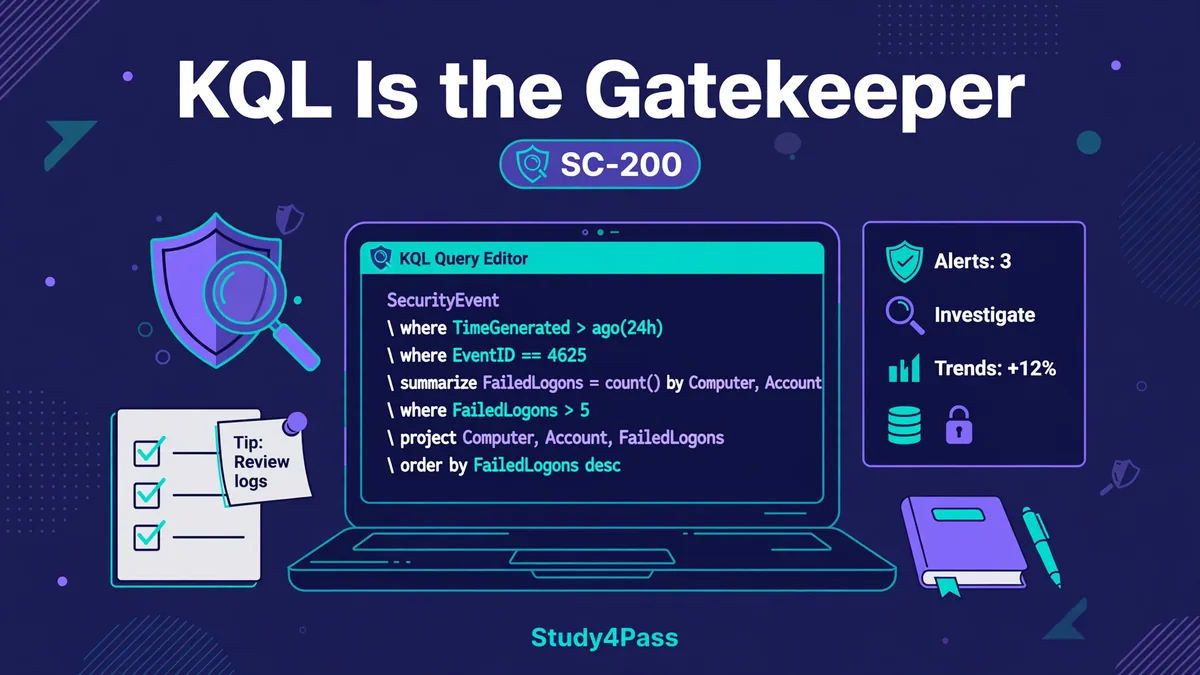
Ask a security analyst what they remember most about SC-200 and the answer is rarely a Microsoft Defender feature or a Sentinel playbook. It is the queries. The exam keeps putting a block of Kusto Query Language in front of you and asking what it does, what is wrong with it, or which one answers the scenario — and if you cannot read KQL, the rest of your security knowledge never gets a chance to show.
That is why KQL is the gatekeeper for this exam. It is not the whole of SC-200 — the exam also covers Microsoft Sentinel, Defender XDR, incident response, and threat hunting — but KQL is the language all of those topics are tested in. A candidate who understands Sentinel concepts but cannot read a query will lose marks on questions they actually know the answer to. A candidate who can read KQL fluently gets those same questions almost for free, because the query itself tells them what the scenario is about.
The good news is that KQL is a small language. You do not need to be a programmer, and you do not need to memorize hundreds of functions. You need to read queries the way an analyst reads them: table first, then filters, then the shape of the answer. This post teaches it that way — the anatomy of a query, the tables and operators the exam actually uses, the traps that catch people who think they know KQL, and a week's worth of drills to make it stick.
What does a KQL query actually look like?
Every KQL query follows the same shape, and once you see it, you can read almost any query the exam shows you. It starts with a table — the data you are searching — then a series of operators separated by pipe characters, each one transforming the result of the one before it. It reads left to right, top to bottom, like a sentence.
Here is the shape, with a real query:
SecurityAlert
| where TimeGenerated > ago(7d)
| where Severity == "High"
| project TimeGenerated, AlertName, CompromisedEntity
| sort by TimeGenerated desc
Read it as a sentence: "From the SecurityAlert table, keep only the last seven days, keep only high-severity alerts, show me just these three columns, and sort newest first." That is all a query is — a table, then a chain of instructions. The exam's KQL questions are almost all variations on this pattern: a table, some filters, maybe an aggregation, and a choice about what comes out at the end.
Two details in that example are worth noticing now, because the exam tests both of them. First, ago(7d) means "seven days ago from now" — time in KQL is always relative to the present, and TimeGenerated is stored in UTC, so a query that filters on a local time of day will silently miss alerts. Second, the filters come before the project. Filtering early is not just good practice; it is how the exam expects you to think. A query that projects first and filters second is not wrong in the way a syntax error is wrong — it is wrong in the way that tells the examiner you do not understand how the pipeline works.
Which tables and operators does the exam actually use?
SC-200 does not test the whole of KQL. It tests the small set of tables and operators that a security operations analyst uses every day, in Sentinel and in Defender XDR's advanced hunting. Learn those well and you will recognize nearly every query on the exam.
The tables to know are the ones that hold the evidence of an incident. SecurityAlert holds the alerts generated across Microsoft's security products. SecurityIncident holds the incidents those alerts are grouped into. SigninLogs holds sign-in activity from Entra ID — the table behind almost every identity question on the exam. In Defender XDR's advanced hunting, the equivalents are tables like DeviceEvents, DeviceProcessEvents, and DeviceNetworkEvents, which record what happened on endpoints. You do not need to memorize every column in these tables. You need to know what kind of evidence each one holds, so that when a scenario describes failed sign-ins you reach for SigninLogs, and when it describes endpoint activity you reach for the Device* tables.
The operators to know are fewer than you would expect:
- where filters rows. It is the operator you will use most, and the one most exam questions turn on. where Severity == "High", where ResultType == "50074", where TimeGenerated > ago(24h) — each one narrows the data before anything else happens. - project chooses which columns to show. It is how you turn a wide table into a readable answer, and how the exam asks you to "show only the user, the time, and the IP address." - summarize aggregates. summarize count() by AlertName counts alerts per alert name; summarize AlertCount = count() by AlertName does the same thing and gives the count a readable name. Whenever a question asks "how many" or "which is most common," the answer involves summarize. - sort by and take control the output. sort by TimeGenerated desc puts the newest first; take 10 keeps ten rows. The exam likes to test the difference between take and top: take grabs any ten rows, while top takes the ten highest or lowest by a column you name. If a question wants the ten most frequent alerts, take 10 after a summarize is wrong — it takes ten arbitrary groups, not the ten biggest. - extend adds a calculated column without removing the others, and let stores a value or a subquery in a named variable so you can reuse it. Both show up in longer exam queries, usually as the setup for a filter or a join. - join combines two tables on a shared key. A typical exam pattern joins endpoint events to device information on DeviceId, so the query can show the device name alongside the event:
DeviceEvents
| join kind=inner (DeviceInfo) on DeviceId
| where ActionType == "ProcessCreated"
| project Timestamp, DeviceName, FileName
The join is where many candidates get lost, because the query suddenly has two tables. The trick is to read it the same way as always: start with the first table, then ask what the join adds. Here it adds device details to each event, so the result can show a device name instead of just an ID.
What do the KQL questions on the exam really ask?
Once you can read a query, the exam's KQL questions stop looking like code questions and start looking like what they are: analyst questions written in query form. They come in a few recurring shapes, and recognizing the shape tells you what to look for.
Read the query, predict the result. The exam shows you a query and asks what it returns — which alerts, which users, which time window. The way to answer is to walk the pipeline: which table, which rows survive each where, what summarize groups them by, what project keeps. Candidates who try to answer from memory of what the query "should" do get these wrong. Candidates who trace it line by line get them right.
Spot why the query returns nothing. These are the exam's favorite KQL questions, because they test whether you understand the language or have just memorized its shape. A query that filters on a column after a summarize that dropped that column will return an error, not an empty result — the column no longer exists by the time the filter runs. A query that compares a string with == against a value in the wrong case will return nothing, because == is case-sensitive. A query that filters TimeGenerated > ago(1h) when the incident happened yesterday will return nothing, because the window is wrong. Each of these looks reasonable at a glance. Each fails for a specific, learnable reason.
Choose the query that answers the scenario. The exam describes an investigation — "find all failed sign-ins for this user in the last 24 hours, from outside the corporate network" — and offers four queries. Three of them are almost right. One filters on the wrong table, one filters on the wrong time window, one projects the wrong columns. The right answer is the one where every part of the query matches the scenario: the right table, the right filters, the right output. The fastest way to work these is elimination: check the table first, then the time filter, then the rest.
Complete the missing piece. A query is shown with one operator blanked out, and you choose the operator that makes it do what the scenario describes. These reward knowing what each operator is for, not knowing its syntax by heart. If the scenario needs a count per user, the missing operator is summarize. If it needs the newest ten rows, it is sort by plus take — or top.
What are the traps that catch people who think they know KQL?
Most people who fail SC-200's KQL questions do not fail because they never studied KQL. They fail because they studied it just enough to recognize the shape, and the exam is built to punish exactly that. These are the traps that catch them.
Case sensitivity. In KQL, == is case-sensitive and =~ is case-insensitive. where AlertName == "malware detected" will not match an alert called "Malware Detected". Neither will a filter on High match a severity stored as high. The exam knows this, and it writes answer options that differ only in case. When you see a string comparison in a query, check the case before you check anything else.
Filtering after aggregating. Once summarize runs, the only columns that exist are the ones you grouped by and the ones you aggregated. A where after a summarize that references a raw column — say, filtering on Severity after summarizing by AlertName — is an error, not a filter. If a query needs to filter on a raw column, the filter has to come before the summarize. This ordering rule is the single most-tested KQL concept on the exam, and it is the one that looks most like a detail until it costs you a question.
take is not top. take 10 returns any ten rows. If the rows are not sorted first, which ten you get is arbitrary. A question that asks for the ten most common alerts needs top 10 by AlertCount desc after the summarize — or a sort by before the take. Choosing take where the question needs ranking is the kind of mistake that feels like a small slip and costs a full question.
The table is the question. The most common error in scenario questions is answering with the right operators on the wrong table. Sign-in questions live in SigninLogs, not in SecurityAlert. Alert questions live in SecurityAlert, not in SecurityIncident — the incident table holds the grouping, not the alert detail. Before you read a single operator, check the table. If it is wrong, the whole query is wrong, however elegant the rest of it looks.
Time windows are part of the answer. A query with the right table and the right filters but ago(1d) when the scenario covers a week will miss most of the evidence. The exam writes scenarios with explicit time ranges for a reason, and the correct query is the one whose window matches. Treat the time filter as a scored part of the query, not as boilerplate.
How should you study KQL in a week?
KQL is learned by writing it, not by reading about it. A week of short daily drills will do more than a weekend of reading, because the skill the exam tests is reading and writing queries under pressure, and that only comes from repetition.
Day one and two: read queries. Take the examples in this post and in Microsoft Learn's KQL documentation, and translate each one into a plain sentence: table, filters, aggregation, output. Do it out loud if you can. The goal is to make the pipeline shape automatic, so that when the exam shows you a query, you see the sentence before you see the syntax.
Day three and four: write queries from scenarios. Give yourself an investigation in words — "show me every high-severity alert in the last seven days, grouped by alert name, most common first" — and write the query before looking at any example. Then compare. The gaps between your query and the correct one are exactly what the exam will test: the table you chose, the order of your operators, the columns you kept.
SecurityAlert
| where TimeGenerated > ago(7d)
| where Severity == "High"
| summarize AlertCount = count() by AlertName
| sort by AlertCount desc
| take 10
That query is the template for a whole family of exam questions. Change the table, change the filter, change the grouping column, and you have a different question — but the shape never changes.
Day five: hunt for the bug. Take a correct query and break it deliberately: move the where after the summarize, change =~ to == with the wrong case, swap top for take, filter on the wrong table. Then fix it. This is the closest thing to practicing the exam's spot-the-error questions, and it trains the exact skill they test — noticing the one wrong part in a query that otherwise looks right.
Day six and seven: practice in a real workspace. Microsoft runs a free Log Analytics demo workspace you can query without a subscription, and Microsoft Learn's KQL tutorials run against sample data in the browser. Work through them with the exam's question shapes in mind: after every query you run, ask yourself what it returns, what would break it, and which operator you would change to answer a different question. That last habit — changing one thing and predicting the result — is the whole of KQL fluency, and it is what the exam is measuring.
One more thing the week should include, because it is easy to forget while you are deep in query syntax: KQL is a tool for investigation, not an end in itself. Every query on the exam is attached to a security scenario — an alert to triage, an incident to investigate, a hunt to run. When you practice, keep the scenario in mind alongside the syntax. The candidate who knows why they are querying SigninLogs will always outperform the candidate who only knows how.
The KQL gatekeeper is smaller than it looks
KQL feels intimidating because it looks like code, and code feels like something you either know or you do not. But the KQL the exam tests is a small, regular language: a table, a chain of filters and transformations, and an output. The tables are few, the operators are fewer, and the question shapes repeat. A week of reading, writing, and deliberately breaking queries is enough to make it familiar — and familiarity is all the gatekeeper asks for.
Learn the pipeline shape, learn the handful of tables and operators that matter, learn the traps — case sensitivity, filter-before-summarize, take versus top, the right table, the right window — and the KQL questions stop being the part of SC-200 you fear. They become the part where your preparation shows, because the query tells you the answer if you can read it.
Try the free SC-200 practice test — no signup, instant feedback — and let the result show you where your KQL stands. For the full exam guide, the SC-200 study material page covers the rest of the exam. If the queries read like sentences to you now, you are ready to move on to the rest of the exam. If they still look like code, give the drills a week. The gatekeeper opens for anyone who practices the language it speaks.